What the museum commissions
The exhibition explains how each object contributes to its theme. The scope might include a gallery tour with individual object pages, or a thematic exhibition bringing together material from different locations. Specify both the visitor experience and the files, editing access and operating responsibilities that the institution receives.
Start with the interpretation: what should someone understand after exploring this collection? That decision helps select the objects, sequence and depth of explanation. ICOM's definition connects museum documentation with interpretation, access and collection management, supporting the involvement of curatorial staff throughout content preparation. Museum documentation definition.
Choose the exhibition format
| Format | Visitor task | Review before commissioning |
|---|---|---|
| 360 gallery tour | Explore an existing room and locate displays | Capture positions, object visibility and return routes |
| Thematic web exhibition | Follow a story through selected objects | Sequence, labels and cleared media |
| Hybrid exhibition | Move between a room and independent object pages | Links, consistent interpretation and a non-panoramic route |
A 3D model is worth considering when visitors need to inspect a surface or feature that the available photographs cannot explain. Test one representative object for interpretive value, permission and loading requirements. A separately commissioned model can be scoped through the Digital Assets Service.
An immersive VR museum solution needs its own decisions about equipment, spatial interaction and operation. Gallery hardware and full environment reconstruction should be identified in the proposal. General panorama capture has different acceptance criteria from an exhibition that requires object interpretation and curatorial review.
Design around the visitor's purpose
Explore a collection remotely
Offer a short route through selected works and deeper information for visitors who want it. Test whether someone can reach a named object, explain why it belongs in the exhibition and return to the route without restarting the visit.
Prepare a classroom activity
Give educators an observation task tied to an object or a small group. A student might identify a visible mark that helps explain how a tool was made. The teacher needs a usable link, approved interpretation and clear terms for reusing the media in a lesson.
Plan an in-person visit
A gallery tour can introduce the arrangement of displays when the institution supplies verified information. Distinguish the captured exhibition layout from current practical visitor information. Destination orientation belongs in a visitor-centre scope, while a travel itinerary has a tourism purpose.
Keep a temporary exhibition available
Agree what may remain online when the exhibition or a loan ends. The approved interpretation might continue with substitute media, while some objects may need to be removed according to the institution's permissions.
Prepare a pilot gallery brief
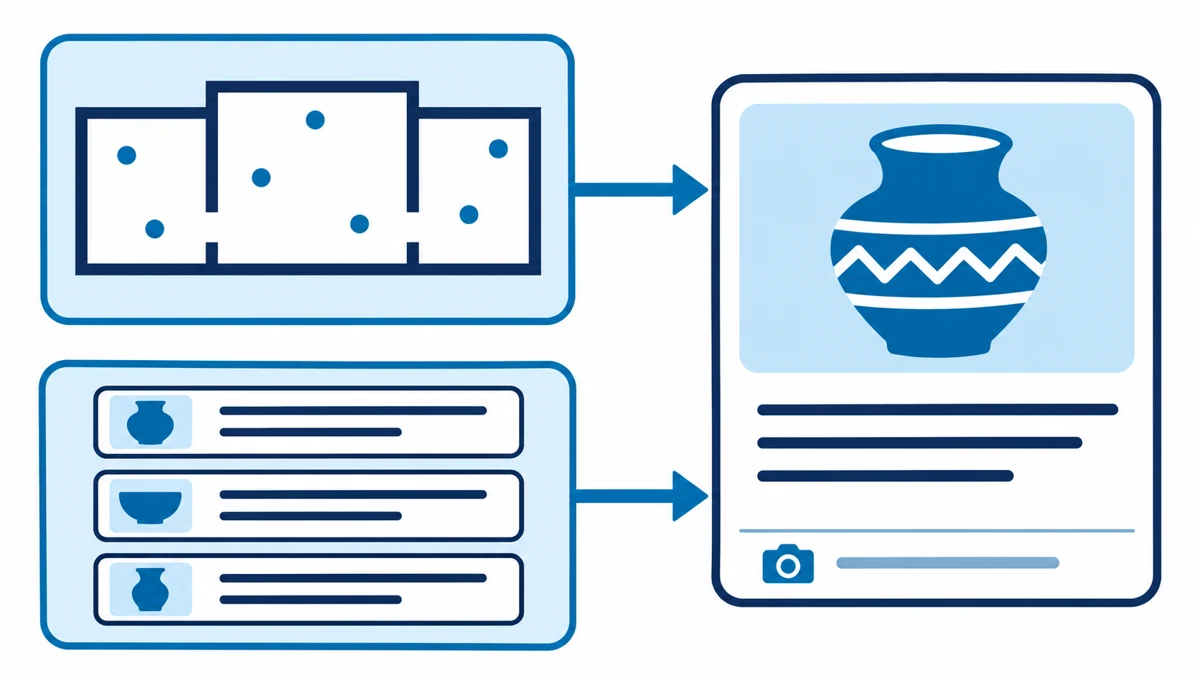
Virtual museum implementation requirements begin with the theme, audience, object identifiers, approved records and rights status. Add gallery plans, available images, languages, capture access and launch constraints. Name the curator, rights reviewer and team taking responsibility after handover.
A proposed three-stop pilot can include an object with a complete label, another needing a closer visual detail, and an item whose restrictions require an approved alternative. The museum chooses the actual objects and sample size. Use the pilot to test these conditions before pricing the full collection.
| Input | Decision to resolve | Museum owner |
|---|---|---|
| Object inventory | IDs, records, evidence and public fields | Curator |
| Images, models and recordings | Permission, credit, channels and expiry | Rights reviewer |
| Gallery access | Capture times and restricted areas | Venue team |
| Publishing and updates | Languages, devices, hosting and edit access | Digital team |
Bring the exhibition theme, shortlist, rights status and target date when you discuss your virtual museum project. Reference materials can follow once they are cleared for sharing.
Turn collection records into visitor labels
Keep a stable identifier connecting each public label with the institution's record. The curator approves the title, date, material, interpretation and credit, and identifies fields that must remain internal. Preserve qualified dates and uncertain attributions in every language.
Write a short explanation that addresses the visitor's question about the object, with further context where useful. Agree Arabic and English terminology and pronunciation before recording narration. Review the translated label in its intended layout, beside the image and credit, so the team can check what the visitor actually receives.
Clear media rights and sensitive content
Keep a record for each photograph, model, recording and text: its source, permission owner, credit, publication channels and any expiry. Ask the rights reviewer to distinguish display permission from download and educational reuse permissions.
The National Museum of Natural History collections policy identifies asset-specific usage information and restrictions, including limits on access to sensitive collection data. The commissioning institution must confirm the permissions that apply to its own collection. Museum Collections Policies.
Where an image cannot be published, have the museum approve substitute media or a text-only state. Check the public description for sensitive information too, including details about locations or provenance that the institution has decided to withhold.
Wayfinding and access alternatives
Use recognisable room names, a map or object list, and a clear return route. Where the configuration supports it, let a visitor open an object page directly. This gives educators and researchers a specific destination to share.
Agree a readable route that works independently of the panorama and test it with the scene unavailable. Review Arabic reading order, keyboard navigation, visible focus, image alternatives and captions or transcripts for recorded media. Select the applicable accessibility criteria and test the delivered configuration against them. W3C WCAG overview.
Two museum examples
Smithsonian: self-guided gallery navigation
The National Museum of Natural History provides self-guided tours of selected rooms and exhibits on desktop and mobile, including some former exhibitions. Its tour page documents room navigation and maps, without reporting a measured visitor-understanding outcome. Virtual tour.
For a temporary exhibition in Saudi Arabia, a proposed adaptation is a route with curator-approved gallery names and a text object list. Start a visitor at a gallery link, ask them to locate one object and return to the map, and record where assistance was needed. Use those observations to revise wayfinding before expanding the route.
The Met: interpretation centred on an object
The Met launched 82nd & Fifth in 2013. Episodes pair a curator's commentary with visual presentation and a feature for closer exploration of the work. The launch announcement describes the format without a measured comprehension result. Project announcement.
For a Saudi craft collection, a proposed activity pairs approved Arabic narration with a close view of a tool mark or ornament. Ask visitors to identify a visible feature and explain how it supports the account of making the object. The museum can then review whether the explanation helped them interpret that detail. These are the named institutions' examples; the Saudi activities are proposals for a project brief.
Virtual museum cost and timetable
The price depends on the agreed scope. Request a breakdown of galleries, capture points, objects, media, languages and interactions, including editing, accessibility review and testing. Separate the pilot from expansion and identify ongoing hosting, updates and support costs.
Permissions, gallery availability and translation review affect the schedule. Moving displays after capture may require new panoramas and revised links. The programme should identify these dependencies, review dates and how changes are agreed.
When comparing virtual museum services with a panorama capture quote, use the same deliverables: object labels, interpretation, access alternatives, rights work and handover. Discuss the scope and quotation.
From the object list to a reviewable exhibition
The museum first approves the theme, inventory and permissions. The team then plans the visitor route and identifies what will be captured or supplied. A gallery prototype should include representative labels, media and language layouts.
The curator checks the interpretation, the rights reviewer confirms the published material, and the digital team tests operation and access. Record feedback against a named version. Once the pilot is accepted, complete the agreed collection scope and review the build prepared for the institution's release plan.
Acceptance and collection integration
| Test | Acceptance evidence | Reviewer |
|---|---|---|
| Find an object and return | Correct route from a gallery link and object list | Visitor experience team |
| Read an object label | ID, text, media and credit match the approval | Curator and rights reviewer |
| Use the access alternative | Interpretation remains reachable without the panorama and by keyboard | Accessibility and digital teams |
| Edit the exhibition | A change appears in affected languages, links and media | Receiving museum team |
Record the device, browser, build and result. For a collection catalogue connection, agree the public fields, stable object identifiers and response when a record or image is unavailable.
If the museum uses IIIF, test a sample manifest in the intended viewer before approving the integration. Check supported versions, language labels, the visible requiredStatement credit and rights information. Their presence in the source data needs verification in the visitor interface. IIIF Presentation API 3.0.
Evaluate navigation and interpretation
Ask representative visitors to find an object and explain its relationship to the exhibition using something they saw or read. Record route errors and misunderstandings. A confusing room name calls for a different revision from a label that omits the context needed to understand a detail.
Keep visit counts and viewing time as usage measures, alongside task completion and interpretation questions. Agree which data the institution needs and who will review it. Test the changes made in response to those findings.
Handover and collection changes
Specify the delivered build, object mapping, media and rights inventory, language versions and editing guide. Confirm source files and administrative access where included. Rehearse a label update with the receiving team and check the affected links, credits and alternative text before closing handover.
Assign an owner for expired permissions or loans, rearranged galleries and withdrawn objects. An update procedure should identify every use, apply the approved removal or replacement, test each language and record the new version. Define hosting, support coverage, recapture and response terms in the proposal.
Choose a virtual museum provider
Ask a virtual museums company to demonstrate a visit your team can assess: finding an object, reading its interpretation and returning to the exhibition route. Review how content and rights are approved, what is tested and who updates the material after delivery.
To scope a virtual museum service with Marafei, prepare the theme, audience, object shortlist, rights status, languages and target date. These inputs support a reviewable proposal with defined deliverables, museum responsibilities and pilot acceptance criteria.