What the institution commissions
A visitor can use the center before travelling to check entry instructions, or on arrival to locate reception. A separate path can introduce the project to remote audiences through approved points of interest and official resources for further information.
Define the pages, routes and media in the delivery schedule, together with the source and approval owner for each item. Confirm hosting, edit access, source files and support in the proposal. Identify what the receiving team can change and which updates require additional work.
Organise information around the visit
| Stage | Visitor information | Example task to test |
|---|---|---|
| Before travel | Location, entrance, hours, conditions and active notices | Identify the correct entrance and any booking requirement |
| On arrival | Reception directions, meeting point and approved alternative | Follow written instructions when the map is unavailable |
| After visiting or remotely | Project introduction and official follow-up resources | Find the appropriate information or enquiry channel |
Use questions that reception staff receive repeatedly. If people arrive at the wrong entrance, put its approved name and location early in that route. Visitors who want to explore the organisation's history can open that material without delaying someone who needs arrival instructions.
Paths for different visitor groups
A first-time visitor
Provide an entrance name that matches the sign, entry instructions and directions to reception. Test with someone unfamiliar with the site. Ask them to explain their route from the published information and note where they need help.
A delegation coordinator
The assembly point or arrival window may differ from the public route. The receiving team approves the information suitable for publication and identifies a separate channel for restricted instructions. Keep guest names and private arrangements outside the public page.
A school organiser
Group arrival, meeting points and contact with the visits team need to be easy to locate. Establish what the organiser must tell accompanying adults before departure. Have the institution approve group-specific conditions and review them in the route prototype.
Someone exploring remotely
Offer an approved introduction, selected stops and links for further reading. A standalone introductory video or other asset can be scoped through the Digital Content Service and given a clear purpose within the visitor center.
Choose a guide, map or panoramic view
| Format | Suitable task | What to test |
|---|---|---|
| Written guide | Find an entrance, opening condition or next step quickly | Whether instructions are discoverable and understandable on a phone |
| Map with directions | Choose between entrances or locate facilities | Names and pins match the site |
| Reference image or 360 view | Recognise an entrance or reception area | Whether the visual cue helps identify the intended place |
Compare formats on one task before expanding media production. A labelled image and brief directions may be sufficient; a panorama may help explain the relationship between landmarks. Keep a readable route available when the scene cannot load.
General space capture is a separate deliverable. Collection interpretation belongs in the Virtual Museums Service, while destination and itinerary presentation has a tourism purpose. Building and fitting out a physical visitor center also requires its own scope.
Prepare one pilot route
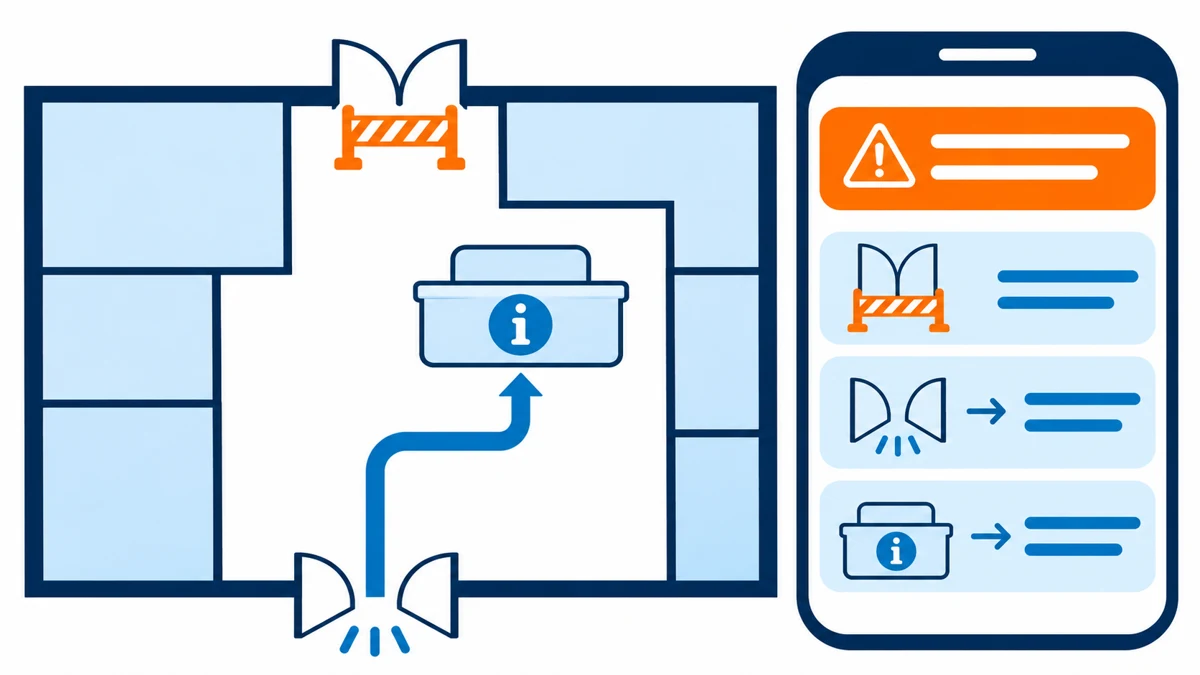
Bring your audience groups and common questions, site plans, entrance and sign names, opening information, conditions, official links and cleared media. Identify who verifies the route on site, who approves the copy and who publishes changes.
Give each fact a source, owner, review date and change trigger. A new entrance can affect the map, written directions and recognition images in every language. Keep regular opening information separate from a temporary notice with an expiry or review date.
For an initial prototype, nominate a route from an entrance to reception and an alternative for a closure. This is a planning scenario; the venue owner must approve the real route before publication. Discuss your virtual visitor center with the available sources and share cleared reference files when ready.
Mobile instructions and bilingual signage
Put the location, entrance and active alert ahead of heavier media. Match the approved English names to the Arabic signs and reference photographs. Switching languages should retain the intended site and route, with consistent closure information.
Provide written steps from a named landmark to reception. Test them with the map and panorama unavailable. Review text alternatives, contrast, keyboard operation, visible focus and reading order against the applicable WCAG 2.2 criteria.
The venue owner must verify physical access information, including the entrance, surfaces, known barriers and alternative route. Test whether visitors can find that description digitally, and review it when the site changes. Website accessibility and physical access each need their own checks.
Two documented visitor examples
Sagamore Hill: visit planning and digital options
The U.S. National Park Service's Sagamore Hill Virtual Visitor Center brings together visit information, activities and links to virtual and audio tours. The page supports planning but does not publish a measured arrival-task outcome. Virtual Visitor Center.
For a Saudi heritage site, a proposed pilot presents the usual entrance and an approved diversion when it closes. Ask a mobile visitor to choose the entrance and identify reception with and without the map. Record their reasoning and revise ambiguous instructions before accepting the route.
The Story Museum: advance familiarisation
The museum's accessibility page provides a virtual tour, a visual story labelled as a 2022 edition and practical access information. It documents those materials without reporting a measured improvement in visitor preparedness. Accessibility and visit preparation.
For a Saudi cultural center, prepare an approved sequence of entrance-to-reception photographs with Arabic labels and written directions. Ask someone who needs advance familiarisation, or their companion, to arrange the steps and identify where to request help. Use their response to review the sequence and naming. These examples belong to the named institutions; the Saudi activities are proposed applications.
Virtual visitor center cost and timing
Price depends on venues, routes, audiences, languages and media. Request separate items for visitor research, writing, translation, mapping or capture, accessibility review, testing and any integration. Distinguish the pilot and rollout costs from hosting and ongoing support.
A single route with approved assets differs from a multi-site center requiring new capture and several approval teams. Venue access, content review and changes to entrances or maps can affect timing and rework. The proposal should identify milestone outputs, approval dates and how changes are priced.
When comparing virtual visitor center services, give each supplier the same scenario, language requirements, source material and acceptance conditions. Discuss scope and price against the deliverables your team will receive and maintain.
Build and review a route prototype
Collect reception questions and verify the underlying facts and owners. Then map the paths and build one arrival task, including normal access, a temporary closure and written alternatives. The venue checks direction accuracy; visitor services review whether the instructions answer their audience's questions.
Try a direct link, a phone with a constrained connection and a failed-media state. Observe visitors without coaching, revise wording or information order, then repeat the task. Resolve problems in the pilot before applying its structure to other sites.
If the purpose calls for a fully immersive experience, assess a separate Virtual Reality Service scope around the task and equipment. Select this format according to the project task.
Acceptance before handover
| Scenario | Acceptance check | Approval owner |
|---|---|---|
| Normal visit | Find the correct entrance and reception | Venue and visitor services |
| Entrance closure | Correct notice and alternative in both languages | Operations and content teams |
| Map unavailable | Written instructions remain reachable and understandable | Digital and visitor experience teams |
| External referral | Link reaches the official service and intended location | Information owner and digital team |
Start from the center page and an external link to a specific route. Compare entrance names with signage, then switch languages and check the instructions. Verify a booking destination without completing a transaction. Record device, build, expected and observed result, and the acceptance owner; retest corrected cases.
Measure whether visitors can act
Give participants a defined scenario: the usual entrance is closed and they need to reach reception. Ask them to name the alternative entrance and explain their next action. Record unaided completion, wrong choices, hesitation and requests for help.
Report the participant count, audience groups, devices and test conditions with the results. Viewing time can reflect exploration or difficulty finding information, so interpret it alongside task performance. Repeat the task after a revision to see what changed for the test group.
Booking links, maps and visitor data
Agree whether the center refers visitors to an official booking or map page, or exchanges data with another system. A referral needs verification of the receiving organisation, destination and fallback contact. Booking management and data exchange require a defined scope covering fields, permissions and responsibilities.
For personal data or visitor reporting, have the institution approve the purpose, necessary fields, access and retention. SDAIA's minimum personal data guidance explains the relationship between the collection purpose and necessary data. Use fictional records for integration acceptance in an approved environment, and review the project's requirements with its privacy owner.
Handover and changing information
Specify source records, routes, language mapping, media rights, editing guidance and the access or files included in the proposal. Rehearse an entrance or opening-time update with the receiving team. Check both languages, the map and the written alternative before accepting the change.
For each temporary notice, assign the person who confirms the condition, the publisher and the review or expiry date. When a closure ends, check that normal directions return. Set the support scope for updates, recapture and hosting, including changes requiring a further commission.
Scope your visitor center with Marafei
Ask a virtual visitor centers company to show a prototype using your site's information. Check how the content is updated and who approves each change. Compare the proposed delivery, tests and ongoing responsibilities using those details.
Prepare the institution and site names, visitor groups, priority questions, languages and target date. Nominate one route and the person responsible for its accuracy. Marafei uses these inputs to define the content, necessary media and pilot acceptance conditions before expanding the project.