
What you commission
Start with what visitors should discover through movement. An interactive floor service translates that task into content and operating rules: where to begin, which action counts, what appears and how the session ends. The design scope covers the agreed scene, its integration with display and sensing, and verification of the intended behaviour.
Identify who supplies equipment, prepares the surface, calibrates the installation and operates or removes it where required. Commissioning an activity and renting a unit involve different deliverables. A proposal can include both, provided it names the responsibilities and acceptance conditions for each.
When movement helps the visitor task
| Option | Task to consider | Decision before selection |
|---|---|---|
| Movement-responsive floor | Reveal content by choosing a position or moving between points | Can visitors stop and take part while others pass? |
| Continuous floor display | Present a scene that people see as they walk past | Does the message require visitor input? |
| Wall or vertical screen | Read from a distance or watch with a group | Is the information legible from the audience positions? |
| Static panel | Offer a short explanation people can revisit | Would movement reveal something the reader needs? |
Distinguish an optional activity area from a display along a route. A task that requires stopping needs space for participation and waiting. Test its entry cue before relying on a supervisor to explain the start to everyone.
Applications for public venues
Explore a heritage route
Visitors could move between points that reveal approved material about a local route. Place the first instruction before the entry and a readable summary outside the activity area. Ask visitors to recall a stop and explain what changed there. Record whether they needed help to find the interaction.
Put a science sequence in order
In a proposed Saudi science-centre activity, one participant selects evaporation and another selects condensation, then they explain the order. The content owner checks the scientific representation and the supervisor sets turn-taking. A steady step or standing selection can be explored where the configuration supports it.
Complete a short exhibition activity
A visitor chooses an area of interest and sees information about the exhibit. Give the task a clear ending so they can move to the next station. Test someone walking beside the activity while another person takes part. The response should follow the agreed zone rules while the wider stand remains usable.
Select display and sensing separately
The method used to show an image and the method used to detect an action need separate decisions. For projection onto an existing floor, review contrast, shadows, surface colour and reflection, and mounting positions. If an LED floor or another installed surface is proposed, review its installation, loading and venue requirements with the responsible team.
Ask what the system detects: position, movement or contact on a particular surface. Specify what the application accepts and how it responds. A screen name or dimension cannot establish that behaviour. Run the intended scene on the proposed configuration under representative light states, recording display visibility and detection separately.
Map active zones and circulation
Mark the displayed image, detection boundary, entrance, exit, observation point, queue and bypass on the plan. Verify centre, edge and corner points on the actual setup; visible content and supported detection need not cover identical areas.
| Area | Intended behaviour | Site check |
|---|---|---|
| Entry | Visitors understand how to start | A new participant finds the action without instruction |
| Active zone | A defined movement reveals the correct scene | Repeat the same point under the expected light states |
| Bypass | People pass without starting the activity | Walk beside the boundary while someone participates |
| Watching and waiting | Companions can see and know when to join | Review sightlines and crossing routes with venue staff |
| Exit | The session ends under its agreed rules | One person leaves, then the area empties and a new visitor starts |
Check what happens when a group arrives together or someone pauses at the boundary. Set the participant count using the sensor coverage, available space, task and supervision plan.
Cues, feedback and bilingual content
Use a short instruction that connects an action to a result, such as standing at a marked point to reveal a stage where supported. Put essential directions before the entrance or beside the activity, and test whether a participant blocks them. Make the result apparent to the participant and to people watching.
Specify idle, entry, active, overlapping-input and exit states. A missed movement needs an understandable retry cue or agreed operator intervention. Review Arabic and English from the approach position. Right-to-left text does not require mirroring a geographic map or changing an approved scientific sequence.
Choose individual or group participation
A turn-based task should tell waiting visitors when to start. Independent zones need defined effects on the scene. A shared activity needs rules for concurrent input and for someone leaving before another person finishes.
Test participants crossing, blocking detection and entering repeatedly. The number of targets a system can register is different from the group size suitable for the task. Agree the usable count after testing the activity in the available space with the supervision plan, and record any additional guidance visitors need.
Interactive floors implementation requirements
Provide the visitor goal, age groups, languages and cleared sample content. Include the activity and circulation plan, surface photos, operating light states, mounting options, power and connectivity. Name the content approver and the person responsible for venue acceptance.
The responsible team reviews level, reflection, glare, equipment stability, cabling and maintenance access. Cleaning and loading requirements follow the selected setup. The Smithsonian exhibition design guidelines address accessible routes, viewing and readable information. Confirm the requirements applicable to the Saudi venue with the responsible specialists.
Plan for visitors using mobility aids and people who prefer watching from outside. Discuss an alternative that communicates the same information and test access to it. Agree how a supervisor can pause the activity. A drawing review cannot replace checking the installed arrangement.
For interactive floors in Riyadh or another Saudi city, provide the address and access, installation and operating windows. The proposal should confirm the site work included. Identify image, map and text permissions and permitted use periods before production.
Pilot one scene under venue lighting
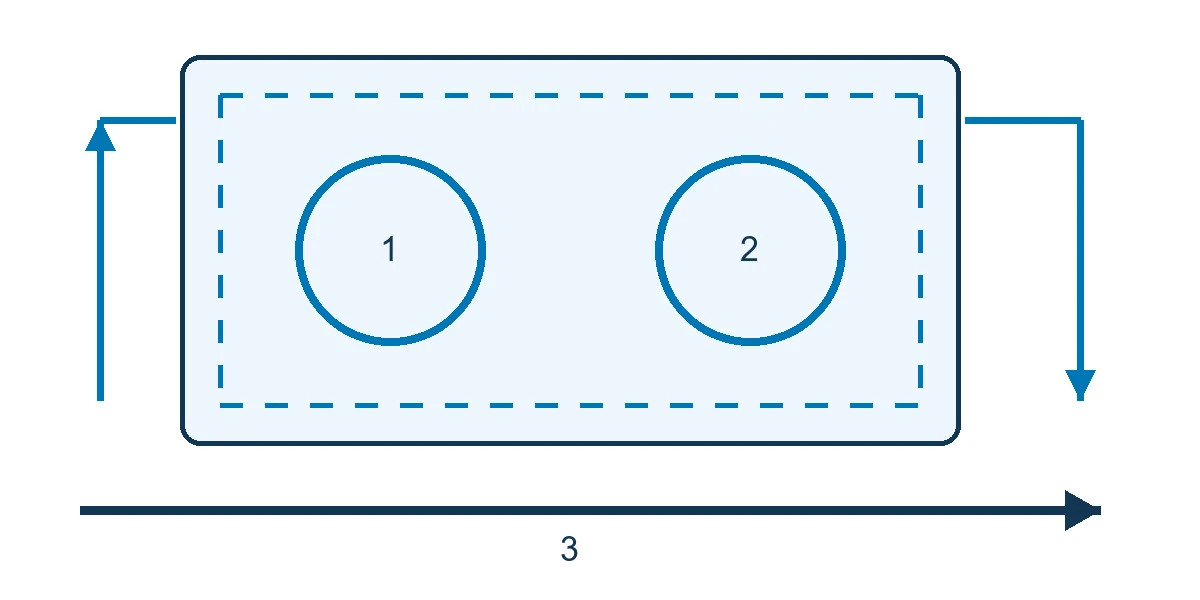
Begin with one scene on a representative setup. The proposed water-cycle example has two independent selection areas and an adjacent bypass. Agree test points at the centre and perimeter, then repeat the task under the light states expected during use. These are proposed checks for a future installation.
| Condition | Action | Observation to record |
|---|---|---|
| Deliberate entry | A participant reaches the marked point | Did the correct stage appear at the expected position? |
| Passing outside | Someone follows the bypass | Did the scene remain free of unintended activation? |
| Second participant | Another person selects their zone | Did both areas respond under the activity rules? |
| Representative shadow or occlusion | Repeat the movement under operating conditions | Where was detection missed or the image harder to read? |
| Leaving and recovery | One person leaves, then the area empties | Did remaining work continue and the next session start correctly? |
Record the equipment, build, surface and light state with each result. Where response time is an acceptance criterion, measure from action to visible feedback and agree the threshold and sample runs in advance. Ask participants to explain the stage they revealed; log prompts separately from successful detection.
Discuss an interactive floor for your venue, with one action, its expected response and a location where it should not activate.
Delivery milestones and responsibilities
Interactive floor development starts with the task and site survey, followed by a sample scene and configuration test. Once the initial behaviour is accepted, approve the content and participation rules, produce the scenes and integrate display and sensing. Site calibration and acceptance follow.
Name the decision owner at each stage. The client approves information, the technical team verifies display and tracking, and venue operations reviews access and operation. Agree the delivered build, calibration record, start and pause instructions, and training where included. Specify editable assets, modification rights and component licences.
Acceptance and visitor understanding
Give each check a point ID, initial state, action, expected result and observed result. Record the content and configuration versions, tester and correction approver. Use the record to locate the fault in detection, instructions or content.
Keep operating measures separate from the visitor task. A system may respond to each movement while participants cannot explain what they uncovered. Use a content question or short ordering task, recording completion and assistance. Touch or trigger counts and dwell time do not establish learning. Begin with aggregate observations and review the need for recordings or identifiable data with the institution before adding them to scope.
Cost, timing and quotation boundaries
Request separate lines for discovery and the pilot, content and languages, development, display and sensing equipment, surface preparation, installation, calibration, removal and support as applicable. Compare proposals against the same task, operating conditions and acceptance checks.
A temporary single-scene activity differs from a permanent installation with regularly updated content. The schedule depends on rights clearance, approvals and site access. Changes to lighting or equipment may require retesting. When comparing interactive floors services, clarify who pays for changes or relocation and whether the quote includes an operator during use.
Daily operation and updates
Assign start-up, daily inspection, pause and fault escalation. The operator checks the surface under the equipment instructions and verifies selected points before opening. Agree a clear response to a fault, such as pausing the activity and directing visitors to the alternative.
Keep the content build with its zone and calibration settings. Recheck affected behaviour after changes to a scene, device position, lighting or surface, and define the retest scope when moving to another room. If offline use is required, identify network-dependent content and licences and test both the activity and restart without a connection.
Research on discovery and group use
Cultural Tourism in Funchal
Campos and colleagues' 2009 paper reports a 2008 Funchal exhibition with a floor showing changes in transport. Observation covered 30 days, with 74 visitor interviews. Appreciation of walking interaction differed with age, and some visitors did not immediately recognise interactive installations. Several stations were studied together, so the findings do not isolate a floor effect or establish learning gains. Study paper.
For a Saudi heritage-route story, test a short approach cue and a summary outside the activity. Observe who starts unaided and recalls a route point while other visitors continue past. This proposed test addresses discovery of the interaction.
iGameFloor in a Danish school
Grønbæk and colleagues' 2007 paper describes an experimental floor with bottom projection, optical tracking and group games including Stepstone. Preliminary observations included children helping one another; the paper also documented tracking dead spots in that setup. These findings do not establish capacity or learning outcomes for another installation. iGameFloor paper.
A Saudi science centre could test two water-cycle selection zones, including concurrent movement near the perimeter and one participant leaving. Check the response, then ask participants to explain the sequence and offer a view from outside. Both studies are external research; the local examples are proposed activities, not Marafei project records.
Scope your project with Marafei
When choosing an interactive floors company, request a pilot that tests the intended action and its boundaries. Ask the interactive floors provider to identify design, equipment, calibration and site-acceptance responsibilities. Check updates, support, file rights and which changes need a new estimate or test.
Send the visitor task, audience, site plan and cleared photos of the surface and lighting, together with languages, operating duration and any opening date. Discuss an interactive floor for your venue, starting with one action whose response and meaning can be evaluated before expanding the content.