What you commission
Begin with the information visitors need and the action that reveals it. In a proposed visitor-centre example, one person selects a short trail while a companion selects a family route. A shared area compares duration and stops while each person keeps their own card open.
The work starts with a content map and rules for selection, sharing and returning. Development and integration follow on the agreed setup. Define who supplies and approves the material and verifies operation. Displays, enclosures, transport and installation need separate quote items where required. Commissioning an experience does not establish in-house hardware manufacture or device availability.
When a table fits the visitor journey
| Medium | Task worth considering | Decision to resolve |
|---|---|---|
| Interactive table | Inspect options or compare information at close range | Can people reach their controls and read without obstructing one another? |
| Vertical screen | View information from a distance or as a group | Does the audience need to watch or control the content? |
| Individual kiosk | Complete a sequence one person at a time | Is there room to stop and wait? |
| Static panel | Find a brief answer without making a selection | Would interaction reveal something the visitor actually needs? |
Consider dwell time and circulation. A shared comparison may suit a discussion area, while a narrow passage calls for a quicker way to find information. Test the task at its intended position before committing to the surface.
Applications for public venues
Choose a visitor route
A proposed map lets people open two routes and compare duration and stops using information approved by the venue. Ask visitors to explain their choice and record any help needed. A map with outdated content cannot establish the current condition or suitability of a route.
Compare collection objects
Visitors select cleared images of two objects and inspect a detail identified by the curator. Keep source labels and descriptions beside the images. Observe whether visitors can explain the intended difference and whether a companion can read the comparison from their position.
Review options with an exhibition presenter
A presenter and visitor could examine product or project options on a shared surface. Define which choices belong to the visitor and which controls the presenter uses. A facilitated conversation needs a different first-use test from a table that the public approaches without an introduction.
Reading orientation and bilingual content
Define an entry point for each intended side and place primary controls within the reach established by site testing. Local cards need an orientation their user can read. Shared comparisons may need repeated labels or another layout that both participants can use.
Review Arabic and English with long names and mixed numerals. Decide whether a language change applies to one area or the whole table. Right-to-left reading flow does not require mirroring a geographic map or changing the source data's units. A shared control should make its effect on other users apparent before they activate it.
Reuse equipment or specify a new setup
For interactive table development on existing equipment, obtain the display and computer details, operating system, input method and application start-up permissions. Run a sample through simultaneous input, restart and recovery. Screen size and a working display connection do not establish application compatibility.
Where equipment is undecided, use a prototype to inform the configuration before full production. For a catalogue or content-system connection, review a sample feed, access permissions, update responsibility and frequency. Decide what visitors see when the feed is unavailable or stale. These responsibilities belong in the integration estimate.
Interactive tables implementation requirements
Provide the visitor task, expected participants, approach sides, languages and cleared sample content. Add a site plan, opening date, existing equipment, power and connectivity, and the people who approve content and site acceptance.
The venue team should review sightlines, glare, approach, structural stability, ventilation, cable routes and service access. Check reach from seated and standing positions on the actual setup. The Smithsonian exhibition design guidelines provide a reference for access and controls; the responsible team must confirm the requirements governing the Saudi site.
Where the output is a web interface, review applicable contrast, keyboard controls and alternatives to multipoint gestures and dragging under WCAG 2.2. Digital interface checks and physical access checks are separate tasks.
Record the owner and permitted use of each image, map and description, including alteration, exhibition, languages and duration as needed. Keep unresolved assets out of production. For interactive tables in Riyadh or another Saudi city, supply the address and access arrangements so that the proposal can confirm the site services included.
Prototype one comparison on the intended surface
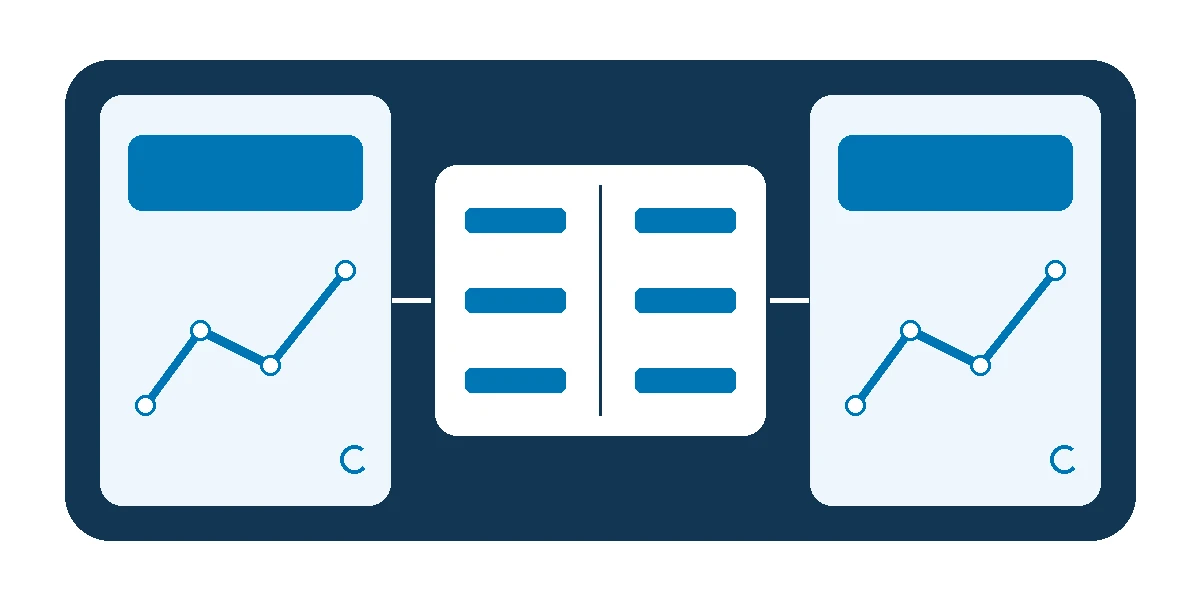
For a proposed Saudi visitor-centre pilot, two independent areas show a short trail and a family route, with selected fields in a shared comparison. Use venue-approved sample data; do not assume route times or conditions stay fixed.
| Test | Actions at the table | Expected behaviour to verify |
|---|---|---|
| First use | A new visitor starts without instruction | They find the entry point and reach two options |
| Concurrent selection | Each person opens a card from their side | Both cards appear without unintended replacement |
| Local change | One person goes back or changes local language | The other continues under the agreed state rules |
| Shared conflict | Both act on the same comparison item | The accepted response is visible and the task can continue |
| Session end | One visitor leaves, then the table becomes empty | Active work is preserved; the next group starts in a clean state |
Include accidental contact, a companion and actual glare conditions. Ask each person to explain the difference they found, and record prompts separately. Agree on the participant sample and acceptance thresholds before testing. These are proposed checks, not results from a completed installation.
Discuss an interactive table for your venue, or prepare one visitor task with two choices, a comparison field and an explanation the visitor should be able to give.
Development stages and handover
Start with the task, site, content and permissions, then build a prototype on a representative setup. Its review informs the equipment decision and interaction rules before interface production and the agreed data and media integration.
Acceptance moves to the venue when the build is ready. The content owner approves information, the experience team verifies the task, and technical and facilities staff review operation, access and recovery. Identify the delivered build, operating guide and training if included. Specify editable files, modification rights and component licences explicitly.
Acceptance on the installed setup
Use a test record with a task ID, starting state, action at each position, expected and observed response, device, build, language, site conditions and approver. This separates a content issue from a control conflict or equipment fault and identifies who retests a correction.
Assess whether visitors find the information, explain the comparison and need help. Record session time separately. In a shared activity, observe each person's contribution; dwell time and touch counts alone cannot establish comprehension or collaboration. Start with aggregated observations. Put any recordings or identifiable visitor data through the institution's review before including them in scope.
Interactive tables cost and quotation structure
An interactive touch table price may cover equipment alone. A commissioned experience can also require discovery, a pilot, content and languages, interface development, data integration and site acceptance. Request separate lines for the display, computer, enclosure, transport, installation and support where applicable.
Updating an interface on compatible equipment differs from specifying a new setup with independent areas and live data. Table count, locations, review rounds, asset permissions and site availability affect the scope and schedule. When comparing quotes for interactive tables, give bidders the same task and acceptance assumptions. Record what changes the quote and who pays for retesting after an equipment or venue change.
Daily operation, updates and support
Name who starts the system, restores it and approves updates. Define when each area expires and how shared selections clear. Test one visitor leaving while another continues. If offline use is required, identify network-dependent content, licences and functions, then test the core task and a restart before committing to that mode.
Keep a release record for content and language versions, and retest shared behaviour after a relevant change. Follow the selected hardware's cleaning instructions; one material or procedure should not be assumed suitable for every surface. Separate application support from equipment maintenance and record escalation and coverage. Permanent installations also need provision for replacement staff and service access; temporary exhibits need setup and recovery tied to their opening schedule.
Two museum research examples
Finding the entry point at Tree of Life
Eva Hornecker's 2008 field study examined a table presenting questions and answers about species at Berlin's Natural History Museum. Some visitors struggled to discover how to interact, and much of their conversation concerned operating the interface. This was an observation of a particular exhibit, not a general estimate of learning benefit. Berlin study.
A Saudi visitor centre could test a local valley map with an Arabic or English entry card reachable from each intended side. Observe whether visitors start unaided, choose a route and explain why. This proposed adaptation tests discoverability beyond whether someone stops at the screen.
Participation in a family rhythm activity
Horn and colleagues' 2020 study compared a musical activity using physical objects with a multitouch tabletop version. Eighty-two groups interacted with one of the versions. The tangible version showed advantages in attraction and engagement; the study found no clear advantage for either interface on its collaboration measures. The findings concern that activity and setting. Family interaction study.
For a Saudi science exhibition, give each participant a different piece of information needed for a joint comparison. Record both contributions and whether one person's input disrupts the other. Both examples are external research; the proposed local tests are not Marafei project records.
Compare providers and scope your project
When selecting an interactive tables company, bring one visitor task, initial content, languages, expected participants and a site plan. Explain what equipment is available and what still needs selecting, along with any opening deadline.
Ask the interactive tables provider to specify the prototype, development, equipment and installation boundaries, file rights, acceptance and support responsibilities. When scoping interactive tables services, specify what changes if you add tables, move venues or replace the data source. Discuss an interactive table for your venue.