How does an Interactive Floor work?
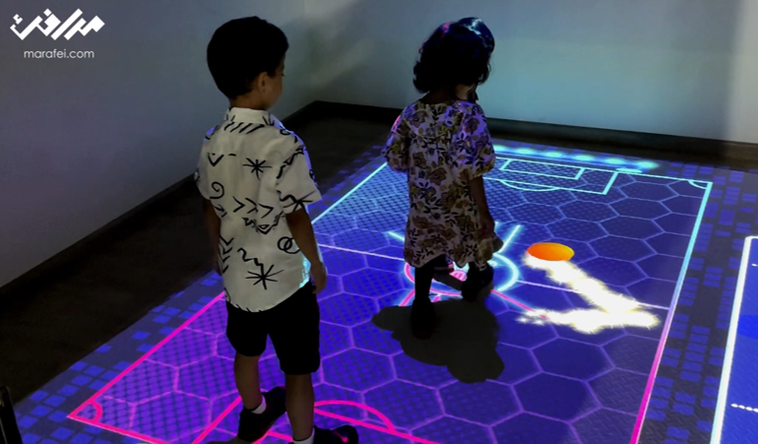
An Interactive Floor uses projection and motion sensing to change an image, game or story as a visitor moves within a defined area. It suits exhibitions, visitor centers and learning activities where movement is part of participation. The operator selects a scene; software connects detected movement to a visual response and resets according to the agreed settings.
For example, stepping onto a place on a map reveals its story. Define that action and response before selecting equipment. A visual floor display may suffice if no visitor input is required. Start with the five specification fields and venue suitability.
Choose an activity that fits the audience
At an exhibition booth, consider a short game that visitors understand at the entrance and that allows time for the group to leave. A visitor center could trial a map with selectable stops. For a learning activity, start with a slow step revealing a pattern or stage, and observe whether participants understand the response without repeated explanation. Supervision depends on age, movement and agreed capacity; running or jumping needs specific venue approval.
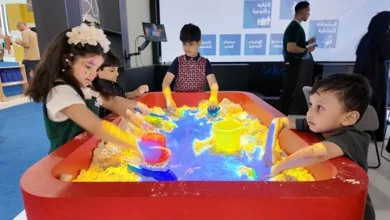
Consider an Interactive Wall for a vertical interface, or an Interactive Sandbox for shaping a physical material. For commissioning and integrating a complete experience, see the Interactive Floors service.
Projection and LED floor tiles
This floor displays content through projection. LED floor tiles are a purchasing comparison; confirm any alternative within the specific Marafei proposal. A moving floor image alone does not establish response to footsteps. Request a demonstration of a defined action and its result.
| Item | Projected floor | LED tile comparison |
|---|---|---|
| Image | Projector position, lens and surface | Floor modules and assembly |
| Venue | Mounting clearance, light and shadows | Structure, transitions and cables |
| Input | Sensor zone aligned with the image | Actual sensing and model capability |
| Evidence | Projector and lens documentation plus site test | Model documents for loading, surface and sensing |
Epson’s guide relates projector position and image size to room configuration. ROE Visual’s Black Marble documentation describes a particular LED floor system. Its values or certifications do not transfer to the proposed floor here.
Usable space and mounting clearance
Separate image dimensions from sensing boundaries, then plan entry, exit, waiting and circulation. Some image elements may be decorative, while every selectable element should respond at its expected position. There is no universal size for all models, lenses and venues.
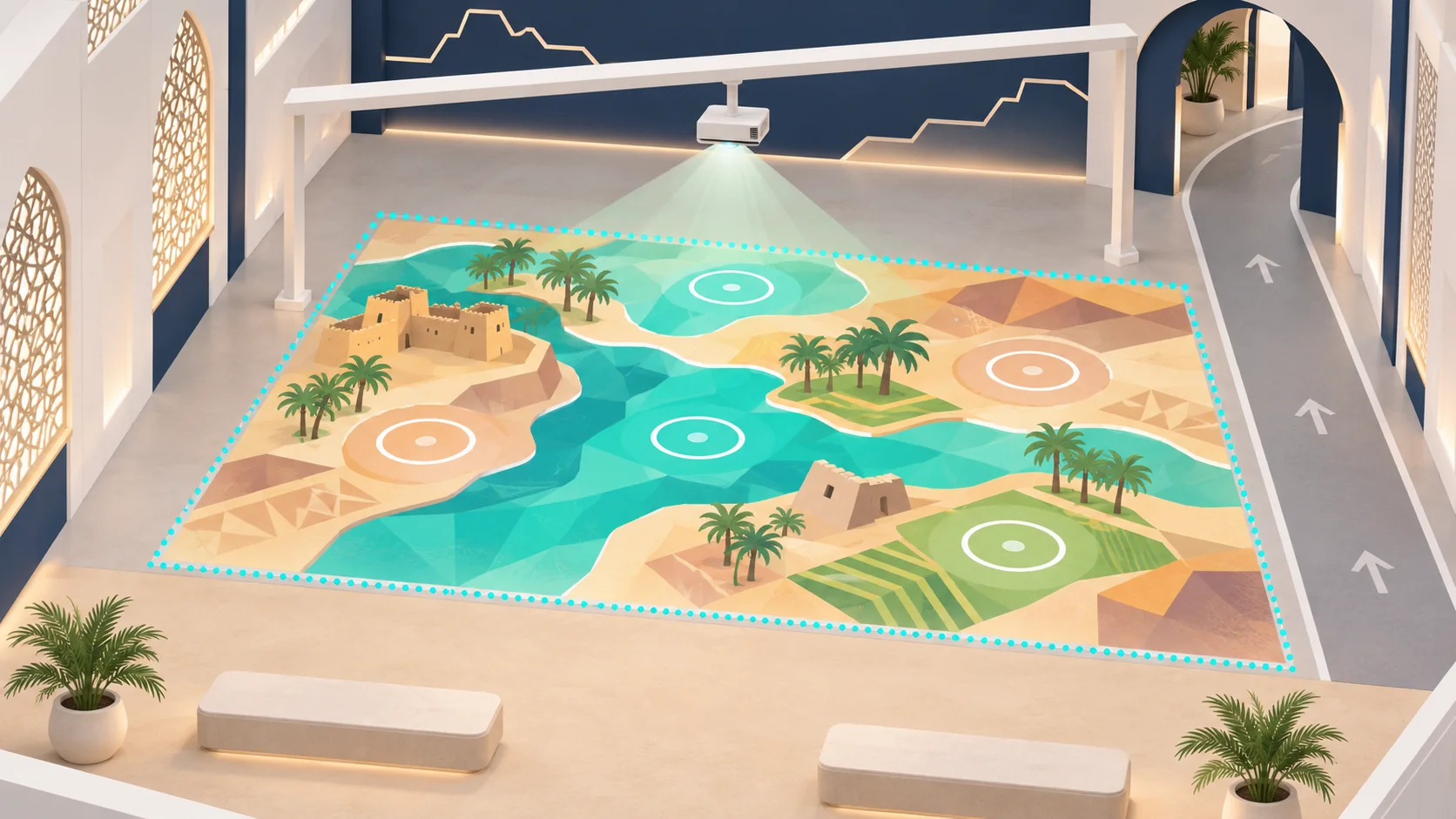
Measure the permitted fixing point above the finished floor, not just ceiling height. Show beams, lights, obstructions, service access, power and cables on the plan. The technical team compares available distance with the lens and image size; the venue approves mounting before installation.
Specifications to agree in the proposal
The product connects movement to a scene. Equipment and content are configuration choices; area, mounting height, lighting and surface need a survey. Document sensing accuracy, brightness, response time and capacity only for identified equipment under known test conditions.
| Field | Record | Owner and check |
|---|---|---|
| Coverage area | Image, active zone and waiting space | Technical and venue teams: measurement and rehearsal |
| Projection height | Fixing point, obstructions and distance | AV team: lens documentation and image trial |
| Ambient light | Operating light, reflections and shadows | Content team: legibility from entry |
| Sensing capability | Input bounds and concurrent participation | Technical team: center, edges and passing traffic |
| Floor surface | Material, level, stability and transitions | Venue lead: surface and edge inspection |
Surface, access and visitor flow
Review floor color, texture, reflection and stability. If an added covering is required, the venue approves its material, fixing, transitions and cleaning method. Keep cables and obstructions out of movement routes. HSE’s slips and trips guidance supports checking floors and walkways; it is not a safety certificate for this setup.
Trial entry and participation from a seated position or with a mobility aid, and agree an alternative where the action is unsuitable. Consider the Smithsonian accessibility guidelines alongside venue requirements. For busy periods, keep queues clear of the through-route and assign admission control; HSE crowd-risk guidance is a planning reference for that review.
Content, language and session reset
Start with a complete scene covering entry, movement, response and ending. Test Arabic and English instructions from the entrance, activity selection and the idle interval that triggers reset. Time group entry, participation, exit and reset; use the rehearsal to plan turns.
Agree scene count, languages, images, fonts, audio and permissions before production. Specify editing access, source files and licences. Test whether progress is understandable with audio muted, and review fast or flashing effects and a calmer display option for the intended audience.
Interactive Floor rental or permanent installation
Temporary rental starts with event dates, use duration and setup and removal windows. When buying an Interactive Floor, include ownership, licences and maintenance in the comparison. Confirm availability, supply options and price inclusions for the specific request.
| Item | Temporary event | Permanent venue |
|---|---|---|
| Equipment | Hardware, survey and calibration for the hire | Equipment, mounting and ownership |
| Content | Required scenes, branding and languages | Files, licences and update access |
| Operation | Operator hours and turn management | Training, operating guide and responsible person |
| Works | Transport, setup, removal and reinstatement | Services, maintenance access and floor preparation |
| Support | Event intervention and recovery procedure | Maintenance, spare parts and warranty terms |
Ask which items are included, optional or supplied by the venue. Transport, an operator and development of a new game are not automatically included in rental.
Cost and lead-time factors
Operating area, mounting clearance, lighting, floor preparation and sensing affect equipment selection and site work. Scenes, languages and permissions affect content production. Compare transport, setup, removal, operator hours, support and licences against the same scope.
Tie the schedule to surface, configuration and content approval, site access and rehearsal. Ask about the effect of area or scene changes before approving them. Confirm price, delivery date, availability and warranty coverage in the proposal; an example or illustration does not establish those terms.
Acceptance and daily operation
Begin acceptance with the venue’s surface and transition checks, then boundary visibility under operating light. Test movement at the center and edges, a passer-by outside the zone, session end, restart and recovery. For group use, rehearse adjacent or crossing routes within the approved activity and participant count. Record room conditions, action, expected response, observation and retest owner.
Before opening, the operator checks the floor, lighting and sensing. Wetness, obstructions or crowding require pausing admission and coordinating correction and reopening with the venue. Assign scene recovery and support escalation. Identify local and network-dependent functions and test disconnection if offline operation is required. For image or movement data, document processing, storage, transfer and access before enabling them.
Two examples of movement as input
NTT ICC documents Scott Sona Snibbe’s Boundary Functions, in which floor boundaries change with participant positions. A Saudi science center could prototype a distance activity away from the through-route and check the boundary as a participant moves or two approach. This is a proposed adaptation, not a completed project result.
The MIT team documents Stomping Ground, using an instrumented carpet, motion sensing, music and visuals. It illustrates movement input through a prepared surface; it does not establish that this product uses the same carpet. For a Saudi learning space, trial slow steps revealing story stages and test understanding with sound muted. Both works are external examples, not Marafei projects.
What should a quote request include?
Send the city, venue, dates, duration and operating hours, floor photos and dimensions, plan, permitted mounting clearance and operating lighting. Describe the audience, expected peaks, activity, languages and available assets. Include access windows, permitted fixings and any operator requirement.
Request a response identifying equipment, image and sensing boundaries, inclusions, exclusions, venue responsibilities, delivery and acceptance checks.