Skip to content

Immersive Cycling Simulator

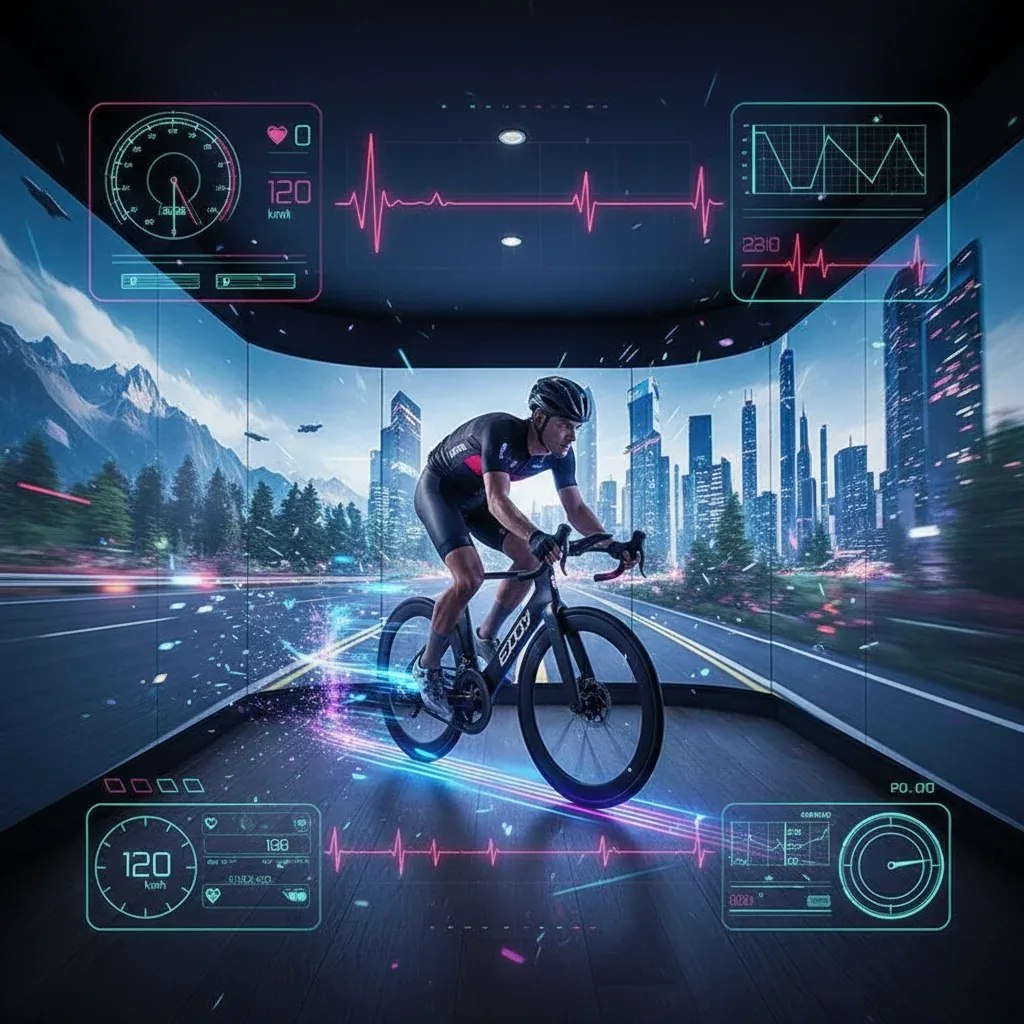
An Immersive Cycling Simulator combines a stationary bike with a route display for gyms, resorts and events. Model, fit, connection and venue requirements are agreed for the setup; scene response and any resistance control depend on the approved configuration.

Pricing depends on configuration and project scope

Request a quote
Bike type
Selected for the audience
Movement data
Based on connection capability
Operating area
Measured on site
View all specifications

Product details

Specifications

Technical details confirmed before implementation

Stationary bike, display and route form the station. Model and platform determine integration functions; space and services require a survey.

Specifications
SpecificationHow it’s determinedConfirmation
Bike typeSelected for the audienceApprove for configuration and site
Movement dataBased on connection capabilityApprove for configuration and site
Operating areaMeasured on siteApprove for configuration and site
DisplayTested for the venueApprove for configuration and site
Power and ventilationConfirmed before installationApprove for configuration and site
Specification approval boundaries

There is no universal fit, resistance, load or clearance; verify values in the exact model manual and integration documents.

  • Bike type — Document the model, fit manual, usage and load limits, resistance, stopping and maintenance.
  • Movement data — Name data sources, readings, connection mode and direction and signal loss; verify resistance, steering or tilt separately.
  • Operating area — Map bike, display, manual clearances, mounting, dismounting, adjustment, maintenance, operator and waiting.
  • Display — Test size, mounting, sightline, reflections and instructions from the riding position.
  • Power and ventilation — Match supplies, cables, connectivity, ventilation and sound to component manuals, unit count and venue conditions.

Description

What is an Immersive Cycling Simulator?

An Immersive Cycling Simulator combines a stationary bike with a display showing a visual route while the rider pedals. It suits gyms, resorts and events planning an indoor cycling activity. A compatible connection can use bike data to change route progress; measurements and resistance functions are approved for each configuration.

After a briefing and bike adjustment under its manual, the participant chooses a route and follows the session through to completion and reset. This configuration uses a screen or projection surface; specify any other viewing accessories in the proposal. Review the five specification fields and quote checklist before choosing the station.

From pedalling to route progress

Identify the source of each value: a separate sensor or data transmitted by the bike, followed by how the software uses it. Cadence is pedal revolutions per minute; supported power readings are expressed in watts. Virtual speed may be calculated by the software. Ask how it is derived before displaying it or comparing riders.

Zwift connection guidance distinguishes a speed or power source from resistance, cadence and control connections. A cadence sensor alone does not establish that a particular platform can run. Name the input source and display function, then test starting, pace changes, stopping and signal loss.

Choose the display and resistance functions

Station operating modes
ConfigurationRider experienceAcceptance evidence
Independent playbackRoute video progresses on its own timelinePlayback, stopping and legibility
Bike-responsive displayRoute progress uses supported dataData source, pairing and signal-loss behaviour
Supported resistance controlEquipment responds to a specified modeModel, software and mode compatibility and test procedure

Terrain simulation differs from a mode targeting a set power output. Wahoo mode documentation describes these differences and equipment-specific exceptions; a trainer function should not be assumed on another bike. Verify steering or physical tilt separately. These technical references do not commit a Marafei proposal to a particular brand or subscription.

Specifications to approve for the configuration

The station includes a bike, display and route content. Bike type, connection and display method are configuration choices; clearance, supplies and access need a venue review. Adjustment, load, resistance and use limits come from the exact model manual.

Five specification fields and acceptance evidence
FieldRequirementWho verifies
Bike typeModel, fit adjustments, usage limits and careSupplier and technician using the manufacturer manual
Movement dataSource, readings, mode and any quoted resistance commandsIntegration team with recorded tests
Operating areaBike, display, access, adjustment, operator and waitingVenue team using plan and survey
DisplaySize, mounting and seated instruction legibilityAV team and operator
Power and ventilationComponent supplies, cables, connectivity, airflow and soundVenue and IT teams

Plan the space and bike fit

Start with delivery access and floor stability, then map mounting, dismounting, adjustment, maintenance and operator access against the model manual. Position the display for seated reading without blocking access, and keep waiting outside the operating area. The bike footprint alone does not define the required station space.

Staff follow the selected model instructions for saddle, handlebars, pedals, locking points and ending the session. The KICKR BIKE fit guide illustrates model-specific instructions, not universal bike measurements. Check sightlines, reflections, cables, ventilation and noise at the venue.
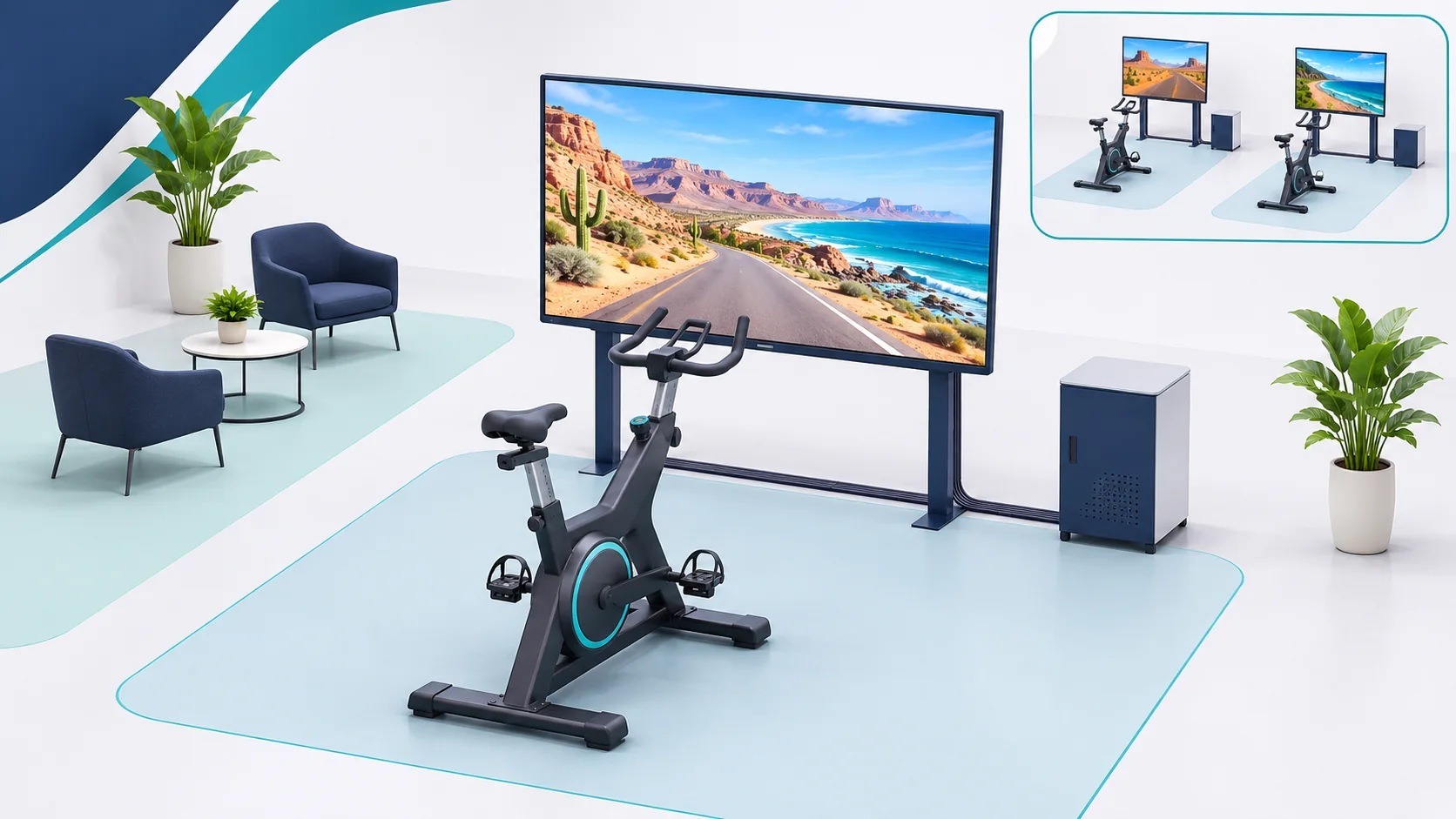
Concept of a stationary bike and route display with separate waiting and an inset of two independent stations
Unscaled illustration, not an approved model or operating-clearance plan. Review each station against the site plan and equipment manual.

Sessions in a gym, resort or event

In a gym, assign route changes and hand over adjustment and cleaning duties between shifts. In a resort, try the start instructions with a first-time user and check sound near neighbouring areas. For events, time the full turn from briefing and adjustment to riding, dismounting and cleaning, then plan units and staff from the rehearsal.

The venue sets participation policy using the bike manual, adjustment range and available supervision. Screen appearance does not establish suitability for ages or fitness levels. Consider route viewing outside the operating area for non-riders while keeping access clear.

Routes, language and content rights

Approve a short sample showing route selection, start, progress and finish. Specify Arabic and English for the audience, then check seated legibility and cues that do not rely on colour alone. Review scene movement and clarity before approving the remaining content. Smithsonian exhibition accessibility guidance provides a general design reference.

Clear rights for footage, maps, sound, fonts and branding, including duration of use. The proposal should name file ownership, update access and retesting needs. Coastal, mountain and city routes are content options to assess against platform capability and licences.

One bike or several stations?

Assign each bike an identifier, pairing and display or route. Define independent sessions first, then assess a shared challenge if the venue requests it and the platform supports it. Review licences, connections, power, ventilation, waiting and staff access to every unit.

At acceptance, pedal each bike separately and confirm that the intended route responds. Test stations together and restart one to check its effect on the others against the agreed scope. Record pairing assignments and how each session returns to its ready state.

Temporary rental and permanent installation

Compare proposal scope
ItemEvent rentalPermanent installation
Period and ownershipDates, hours, units and availabilityHardware ownership and software/content licence terms
ServicesTransport, access, setup, pairing, staffing, removal and venue handbackMounting, training, documentation, support and maintenance
Venue responsibilitiesSpace, power, connectivity and delivery access as quotedSite readiness, daily responsibility and maintenance access
AcceptancePre-opening rehearsal and post-event handbackFunction tests and handover of manuals, accounts and permissions

For immersive cycling simulator rental, request inclusions and exclusions for the dates. To buy an immersive cycling simulator, check ownership, licences, parts and updates. Staffing, transport, removal and warranty must be stated in the specific proposal.

Price, running costs and delivery schedule

Immersive cycling simulator price varies with unit count, bike model, display, integration, content and services. Separate equipment and installation from ongoing immersive cycling simulator cost, including applicable licences, maintenance, content and staffing. Compare quotes with the same units, functions and duration.

Scheduling depends on the survey, configuration availability, route and rights approvals, site access windows and rehearsal time. Request delivery, warranty and support terms for the specified setup; this page does not publish a price, stock status or guaranteed lead time.

Acceptance and operator handover

Record model, software, connection mode, route and expected result for each test. Authorised staff check bike stability and fit, screen reading, scene response, stopping, signal loss and recovery. Test resistance commands only in the approved mode under manufacturer procedures, recording ownership, outcome and retest conditions.

Give operators start and finish procedures, rider adjustments, cleaning and screen reset instructions. Rehearse rider changeover and document hardware/software support contacts and when admissions must pause for inspection. These are acceptance criteria for the proposed setup, not reported test results for a particular unit.

Daily operation, connectivity and data

Before opening, the responsible person checks adjustments, connections and display under the manual and venue plan. Clean contact surfaces using the approved method between sessions and return the screen to its start state. Define procedures for display or connection failure and who may restart the station.

Identify local routes and functions requiring accounts, streaming or licence checks. If offline use is required, test a complete session and restart in that mode. Before enabling accounts or analytics, review displayed, stored and shared rider data, permissions and what clears on reset.

Documented uses of pedal input

Anna Carreras documents The Hyperlapsed City, a sensor-equipped bike for exploring filmed Barcelona routes. A proposed Saudi visitor-centre version could use a licensed local route, testing clear selection and scene response when pedalling stops. Implementation depends on the chosen platform.

The University of Rochester bicycle design combines saddle and handlebar adjustment with power feedback. It is a design example, not evidence of Marafei operating results. A proposed sports exhibit could test whether visitors understand a supported metric after bike fitting and whether staff can reset the display for the next rider.

The Sports Boulevard RIYDE announcement documents virtual routes and competition inside a Riyadh booth. It informs group activity planning without transferring its hardware or capacity to this product. For a proposed multi-station activity, test rider-to-route assignment and viewing from the queue without blocking access. These are externally attributed examples, not Marafei portfolio projects.

Prepare a quote brief

Send city, venue, dates, duration, operating hours, unit count and audience. Include a dimensioned plan, photos, delivery route and available services. Specify routes, languages, display, measurements and resistance needs, independent or shared sessions, and who provides supervision.

Request a proposal naming models, functions, inclusions, responsibilities, acceptance tests and support terms. For a broader activity plan, review the Immersive Running Simulator, Immersive Rowing Simulator and Golf Simulator.

Start with the venue and required configuration.

Request a cycling simulator quote for your venue

Installation & operation

Movement platform, display, and control

Final components follow the selected configuration.

Specified stationary bike

The activity platform selected for the audience and expected use.

Movement input

Sensors or a connection that passes the data supported by the system.

Processing and control

A computer or controller that manages sessions and content.

Front-facing display

A visual surface sized and positioned for viewing distance and lighting.

Virtual content

Licensed or custom routes and scenes within project scope.

Audio and surrounding setup

Optional elements studied without obstructing communication or safety.

From route selection to session completion

Synchronization varies by system.

Choose a route

The user or operator selects an available environment and level.

Adjust the bike

Set the riding position according to equipment instructions and venue policy.

Start moving

The session begins and the system presents route progress within its capabilities.

Follow the session

The user monitors the interface and follows available guidance.

Finish and reset

End the session using the approved equipment procedure, then check route state and prepare the station for the next participant.

Comfortable space for movement and operation

The environment is reviewed before equipment approval.

Stable floor

A surface that supports equipment and use without unintended movement.

Access clearance

Space for mounting, dismounting, adjustment, and maintenance.

Screen visibility

A clear viewing position that does not force an uncomfortable posture.

Ventilation and comfort

Review airflow, temperature, and sound during sessions.

Supervision and cleaning

Define inspection, cleaning between users, and stop procedure.

A permanent solution or temporary experience

The proposal defines equipment, content, and services.

Venue implementation

Agree equipment, ownership, licences, content, mounting, update access and training and support scope.

Event rental

Confirm availability for the dates and transport, setup, calibration, operation and removal scope, including venue-supplied items.

Multi-unit configuration

Review additional scenes or languages, file rights, cost and retesting before updating.

From session objective to operation

The approved proposal confirms timing.

Understand use

Define session, audience, units, routes, integration and supervision.

Select the setup

Review model manual, clearances, delivery access, display and services; approve the site plan.

Install and test

Install approved components, document integration and have authorised staff test the route and stopping using manufacturer procedures.

Train and hand over

Hand over checking, supervision, recovery, session clearing and support responsibilities; document results and retests.

Session setup and access

Final instructions follow the equipment manual and venue policy.

User adjustment

Adjust the seat and controls according to equipment instructions.

  • Adjust the seat and controls according to equipment instructions.
Clear zone

Keep the bike perimeter free of obstacles and exposed cables.

  • Keep the bike perimeter free of obstacles and exposed cables.
Start and finish procedure

Follow approved model instructions for starting, ending and reset.

  • Follow approved model instructions for starting, ending and reset.
Clear display options

Do not rely on color alone and consider motion sensitivity.

  • Do not rely on color alone and consider motion sensitivity.
Data privacy

Do not enable accounts or personal tracking before defining purpose and permissions.

  • Do not enable accounts or personal tracking before defining purpose and permissions.

Frequently asked questions

Capabilities follow the selected equipment and software.

Does the immersive cycling simulator synchronise scenery with pedalling?

A compatible bike or sensor can send data to the route software. Ask which signal changes the scene and have the technician demonstrate what happens when a rider starts, changes cadence and stops.

What do cadence, power and virtual speed mean on a cycling simulator?

Cadence counts pedal revolutions per minute. Power is expressed in watts where supported. Virtual speed is calculated by the software from available inputs. Ask which values are measured and which are derived.

Can a cycling simulator change resistance as a route climbs?

Automatic resistance depends on the compatible bike or trainer and the selected software mode. Ask the supplier to name the equipment and demonstrate the agreed response. Route movement can work independently of resistance control.

How does a cycling simulator differ from playing a route video in front of a bike?

A route video can play at a fixed rate. A connected station can use pedalling inputs to change route progress. Ask for a demonstration of the mode included in the quote.

Does the immersive cycling simulator need a VR headset?

The local product page describes a stationary bike with a screen or other display surface. Confirm the display position and any accessories included in the quote.

How does a venue decide who can use an immersive cycling simulator?

Check the bike's adjustment limits and instructions and agree the venue's eligibility and supervision policy. Give first-time riders a briefing and make the adjustment and stop instructions visible.

How should staff check bike fit before a simulator session?

Use the model's instructions for the saddle, handlebars and pedals. Confirm adjustments are secure and show the rider how to end the session. Have staff demonstrate these checks at handover.

How much room does an immersive cycling simulator need?

Allow for bike, screen, mounting and dismounting, adjustment, operator access and maintenance. Plan the queue separately. Check model-specific space and delivery access against a dimensioned plan.

Can several immersive cycling simulator stations run together?

Confirm space, power, connection and staffing for the planned units. Specify independent or shared routes. Test all units together and verify that each bike moves the correct route or participant on screen.

Can the immersive cycling simulator use custom routes and branding?

Review which route footage, languages, instructions and branding the selected platform supports. Approve one working scene and agree rights, file handover and who can update the routes.

What should an immersive cycling simulator rental quote include?

Ask for the unit count and rental period, transport, installation, pairing, content, operator hours and removal. Confirm who provides power and connectivity and when the venue will be handed back.

What should a venue check before buying an immersive cycling simulator?

Request bike and display models, supported inputs, any resistance mode and installation scope. Confirm ownership, licences, route rights, training, warranty and support against the proposed acceptance tests.

What affects the ongoing cost of an immersive cycling simulator?

Ask about recurring software or content fees, staffing, maintenance and route updates. Clarify who performs the daily checks and how service visits and replacement parts are handled.

Why does the price of an immersive cycling simulator vary between quotes?

One quote may cover the bike and screen while another includes integration, routes, installation and supervised operation. Compare unit count, equipment, licence duration and services before comparing figures.

What information is needed to price an immersive cycling simulator?

Send city, venue, dates and hours, audience, unit count and a dimensioned plan. Add delivery access, display and route requirements, connection and resistance needs, languages and staffing.

Can an immersive cycling simulator run without internet access?

Ask which routes and controls run locally and which need an account, streaming or a licence check. If offline use is required, test a full session and restart without external connectivity.

What happens if the cycling simulator loses its connection to the bike?

Specify what the screen should show and how the operator pauses or ends the session under the bike's procedure. At commissioning, check signal loss, reconnection and reset in the agreed mode.

How do you test an immersive cycling simulator before opening?

Have authorised staff demonstrate fit, stability, display visibility, response to pedalling and the selected model's stop procedure. Test any approved resistance mode and multi-bike assignment. Record results and retests.

How should staff reset a cycling simulator between riders?

End the session as instructed, clear the route state and check adjustment points. Clean contact surfaces according to the manual and venue procedure. Confirm that the next rider sees the start screen.

Does the immersive cycling simulator store rider data?

Ask what the selected setup displays, stores or transfers. Define staff permissions and what clears at reset. Have the venue's responsible team approve any storage or sharing before enabling it.

How can a producer estimate queue capacity for a cycling simulator?

Time one turn, including briefing, adjustment, riding, dismounting and cleaning. Observe waiting and exit routes with representative traffic. Use that measured cycle to plan units and staffing.

What power and ventilation checks does a cycling simulator need?

Check the bike, screen and controller against site power and cable routes. Review airflow, temperature and sound with the planned units operating. Record any site work or service access required.

Does the Immersive Cycling Simulator have a fixed warranty or delivery time?

Request warranty duration, coverage, exclusions and delivery dates for the specified configuration; a universal warranty or immediate availability is not assumed.

Can Immersive Cycling Simulator routes be updated after handover?

Review update access, licences, source files and platform capabilities. Agree cost and testing before releasing a new route.

How should the Immersive Cycling Simulator be cleaned?

The responsible person follows approved stationary bike and display care and shutdown instructions. Include cleaning and inspection in the operating plan without using unapproved products.

Can the Immersive Cycling Simulator be relocated without review?

Review transport, mounting, clearances and services against the model manual; recheck display, integration and stopping with the approved procedure before admitting visitors.

Sources and references

  1. Connecting your devices for cycling

    Zwift

    Accessed:

    Design or external-example reference; not proof of a Marafei model or proposal inclusions.

  2. Trainer control modes

    Wahoo Fitness

    Accessed:

    Design or external-example reference; not proof of a Marafei model or proposal inclusions.

  3. Fit and adjustment: KICKR BIKE

    Wahoo Fitness

    Accessed:

    Design or external-example reference; not proof of a Marafei model or proposal inclusions.

  4. The Hyperlapsed City

    Anna Carreras

    Accessed:

    Design or external-example reference; not proof of a Marafei model or proposal inclusions.

  5. Interactive Bicycle Display

    University of Rochester

    Accessed:

    Design or external-example reference; not proof of a Marafei model or proposal inclusions.

  6. RIYDE immersive cycling experience

    Sports Boulevard Foundation

    Accessed:

    Design or external-example reference; not proof of a Marafei model or proposal inclusions.

  7. Accessible Exhibition Design

    Smithsonian

    Accessed:

    Design or external-example reference; not proof of a Marafei model or proposal inclusions.

Publisher

Marafei

Publisher: Marafei

This product content was prepared, written and reviewed by Marafei’s team of specialists, consultants and technical engineers.

Marafei team

Don’t hesitate to
contact us.

You can book a demo with us by filling out this information, and we will get in touch with you as soon as possible

Business Hours

Sunday–Thursday
8:00 AM–6:00 PM