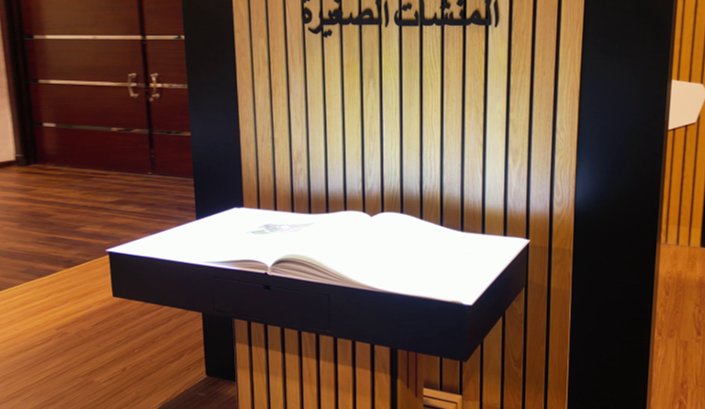
How does a visitor use the Interactive Book?
An Interactive Book is a physical exhibition display shaped like a book. A page turn, touch or gesture opens the associated text, image or media clip. It suits museums, visitor centers and exhibition stands with a story that visitors can explore in stages. Controls and media depend on the selected configuration and are tested at the venue.
The opening page explains the controls. A sensor or control sends the action to the software, which displays the assigned content and provides a way back or a return to the start. Agree the idle state and how the next visitor begins, whether through operator action or a reset supported by the program.
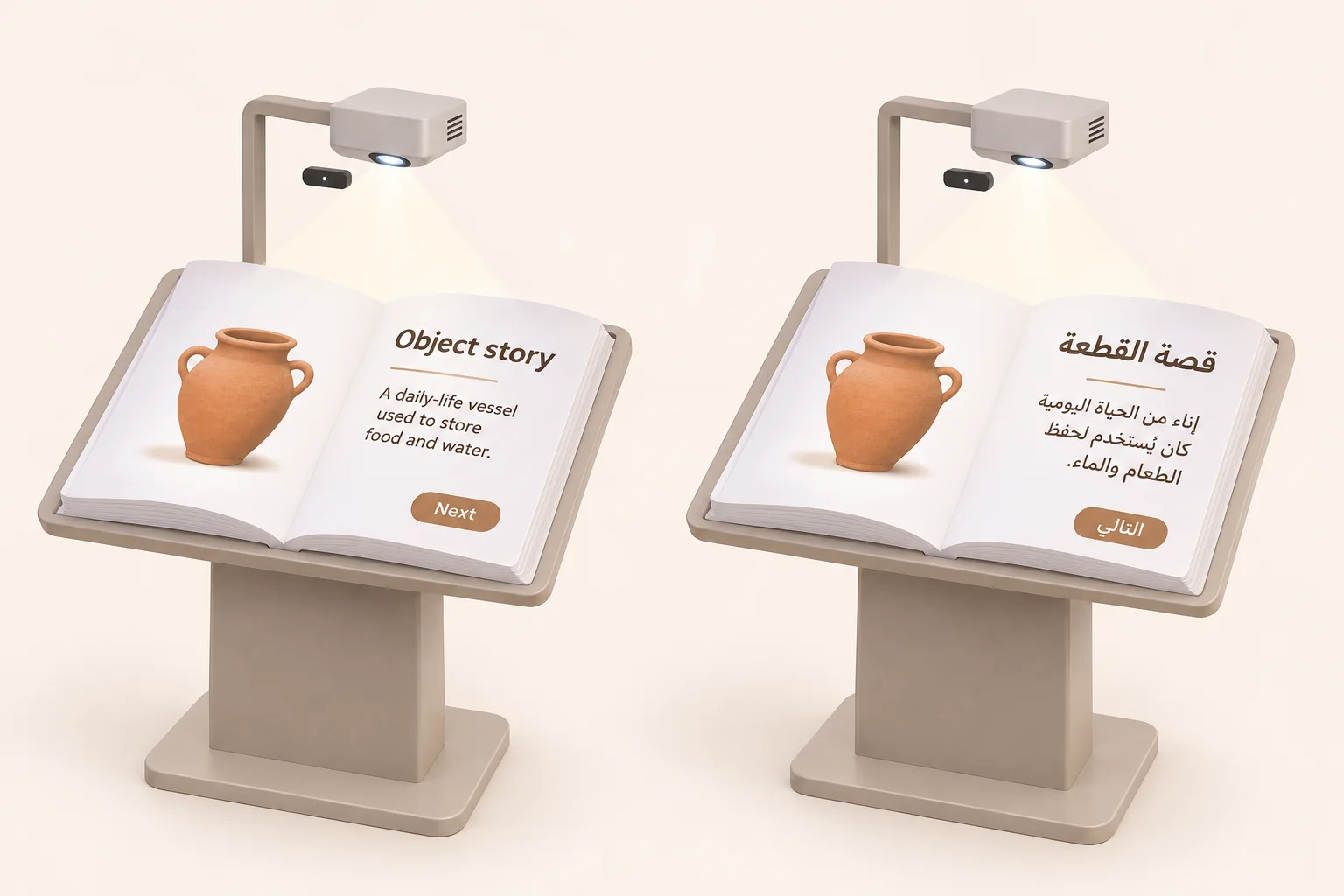
When does the book format suit the story?
A museum visitor could start with an object image and reveal its use or context. An exhibition visitor could explore project stages without waiting for a full video to restart. In a teacher-led activity, participants could select a story step and discuss what appears. These are proposed uses to test with the intended audience.
A conventional screen or panel may be sufficient for directions or a quick list. Choose the book format when turning or uncovering a page has a role in the narrative. For a separate writing and media commission, see Interactive Book content development.
Equipment and quotation scope
The core concept connects visitor input to digital content in a book-shaped installation. Construction, equipment, sensing and page count are project choices. Request the actual equipment list, model documentation and service scope before accepting a proposal.
| Item | Purpose | What to specify |
|---|---|---|
| Book and stand | Display surface and visitor approach | Size, materials, height, movable leaves or a fixed surface |
| Display | Shows text, images and media | Projection or another display method, with model, mounting and venue visibility |
| Sensing and controls | Maps input to the intended page | Physical turn, touch or gesture, sensing area and an alternative control if needed |
| Computer, software and sound | Runs content and navigation states | Compatibility, licensing, connectivity and any requested audio equipment |
| Content and site services | Prepares the narrative and operating setup | Pages, languages and media, plus transport, installation, training and support scope |
Choosing page turning, touch or gesture
Physical turning needs pages and a sensing method that recognizes their position. Touch needs a clearly identified control area within reach. Gesture control needs an agreed movement and a sensing area suited to the room. These are configuration choices; approve the method after a prototype trial.
Test forward, back, repeated movements and another person passing near the sensor. Record extra turns or missed responses, including what happens when a visitor holds a hand above the surface. Request an alternative when the main movement is difficult, such as a clear button if the system supports it, or operator assistance.
Size, circulation, lighting and sound
Separate the book dimensions from the stand footprint and from approach and queue space. Check reading height and reach from seated and standing positions as appropriate, including companions and equipment service access. Review the delivery route, doors, power and mounting clearance before choosing a size.
Test a spread containing text and an image under normal venue lighting from the intended reading positions. Look for glare, hand shadows and unreadable detail. If narration is included, test it against room noise and nearby exhibits. There is no universal height, brightness or sound level for every installation.
The Smithsonian accessible exhibition design guidelines address clear instructions, usable controls and alternatives to audio. Use them as a design reference while the venue specialist reviews applicable local requirements.
Story planning and the test spread
Start with a question visitors can follow and give each page a purpose: identify an object, reveal an image or compare stages. Match text and clip length to the available reading time, with optional detail where the design supports it. Count physical leaves, digital scenes and language versions separately.
Approve a complete sample spread before producing the rest. An object story might show an approved image and explanation, with narration and written text where included. Its page record should name the visitor action, expected result, language, media asset and permission, return path and acceptance check.
Arabic, English and media permissions
Approve reading direction, layout and navigation for each language. Check Arabic shaping, numerals and foreign names within Arabic text. The W3C Arabic and Persian layout reference explains text direction and mixed content. It is a draft reference, not confirmation that a particular exhibit program supports Arabic.
Decide whether changing language retains the current story step or returns to the opening page. Test that rule alongside forward, back and reset. Review copy, captions and narration within the agreed scope, including whether essential content remains understandable with sound muted.
Supply the page map, approved copy, identity assets, original images, video, audio and available translations. Record each rightsholder, approver and permission for display, adaptation, translation and reuse. The Saudi Authority for Intellectual Property guide describes these rights. Having a file does not by itself establish permission for its intended use.
Interactive Book rental or permanent acquisition?
Interactive Book rental is planned around event dates, operating time, access and removal. If you plan to buy an interactive book for a permanent venue, also consider file ownership, updates, training and maintenance. The proposal confirms the available configuration and its inclusions.
| Item | Temporary rental | Permanent installation |
|---|---|---|
| Venue | Transport, access window, assembly, calibration and removal | Final mounting, power and service access |
| Content | Loading existing assets or a separate event-story production scope | Approved narrative, languages, operating files and update rights |
| Operation | Hours, staffing, visitor flow and reset | Staff training, opening, shutdown and surface-care instructions |
| Support | Fault reporting and responsibility during the event | Maintenance, support and written warranty terms for the configuration |
Specify what the supplier provides and what the venue prepares. A new story, operator or transport is not automatically included in rental, and purchase does not establish unlimited updates.
Price, production time and ongoing costs
The quote depends on unit count, construction, display and sensing method. Content adds its own scope: pages, scenes, languages, writing, illustrations, clips, narration, permissions and approval rounds. Ask for these items to be separated from transport, installation, operating hours and support.
Compare proposals for the same story, duration and deliverables. For a permanent installation, review maintenance, replacement parts, content changes and license renewals where applicable. Agree asset delivery and sample approval milestones before confirming the production schedule. Later changes may require a revised scope and date. Ask the interactive book company to state price, availability, warranty and delivery terms for the proposed configuration.
Operation and witnessed acceptance
Before opening, the operator checks the installation, visitor route and surface care according to the material instructions, then starts the opening page and tests controls, language and media. Between visitors, confirm the agreed starting state. At closing, follow the shutdown, file-handling and fault-recording instructions.
| Check | Action | What to record |
|---|---|---|
| Pages and media | Move forward and back, then repeat an input | Correct content, extra turns and missed responses |
| Language | Change between Arabic and English at the same step | Text, direction and the story state displayed |
| Reading and sound | Try visitor positions, room lighting and muted audio | Legibility, essential meaning and the agreed alternative |
| Next visitor and recovery | Perform reset and the documented recovery procedure | Correct starting state and the operator's ability to restore it |
Request the operating copy, delivered file and license list, care and recovery instructions and support contact. Test connectivity requirements and loss of connection for the actual program, and review any sensor recording before approving settings. Retest outstanding issues before closing acceptance.
What do museum examples demonstrate?
ZKM describes Masaki Fujihata's Beyond Pages as a virtual book projected onto a desk, with pages controlled by a stylus and visual and sound responses. For a Saudi reading space, it suggests testing seated control access and whether the narrative works with audio both on and muted.
In Drei Phasen der Digitalisierung, the museum describes a camera reading a physical book and relating its pages to digital content in a projection viewed through a polarizing filter. For a Saudi archive display, the useful acceptance check is whether forward and backward turns match the physical page to the intended content. These are external museum works; their equipment and mechanisms are not automatic specifications of the product offered.
Prepare an Interactive Book quote request
Send the city, dates, duration and audience, unit count, venue plan, lighting, noise and delivery route. Add the story subject, approximate page count, languages and available assets, preferred controls and any need for media production or onsite staffing.
Identify who approves copy and permissions, and when the sample spread can be reviewed. Share your venue and story to request an Interactive Book quote.