Skip to content

Immersive Running Simulator

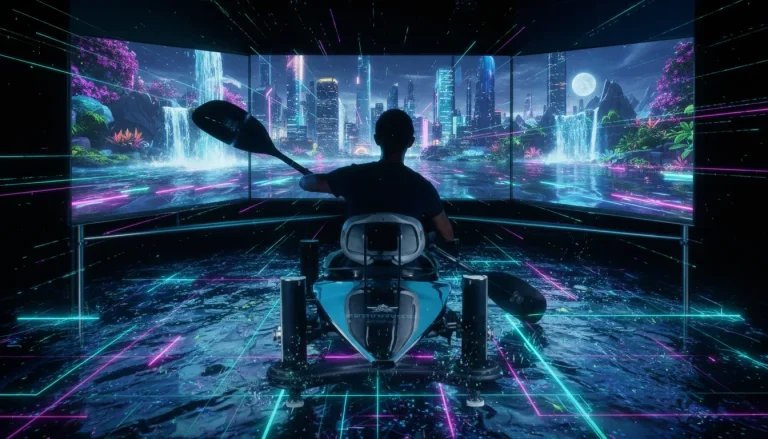
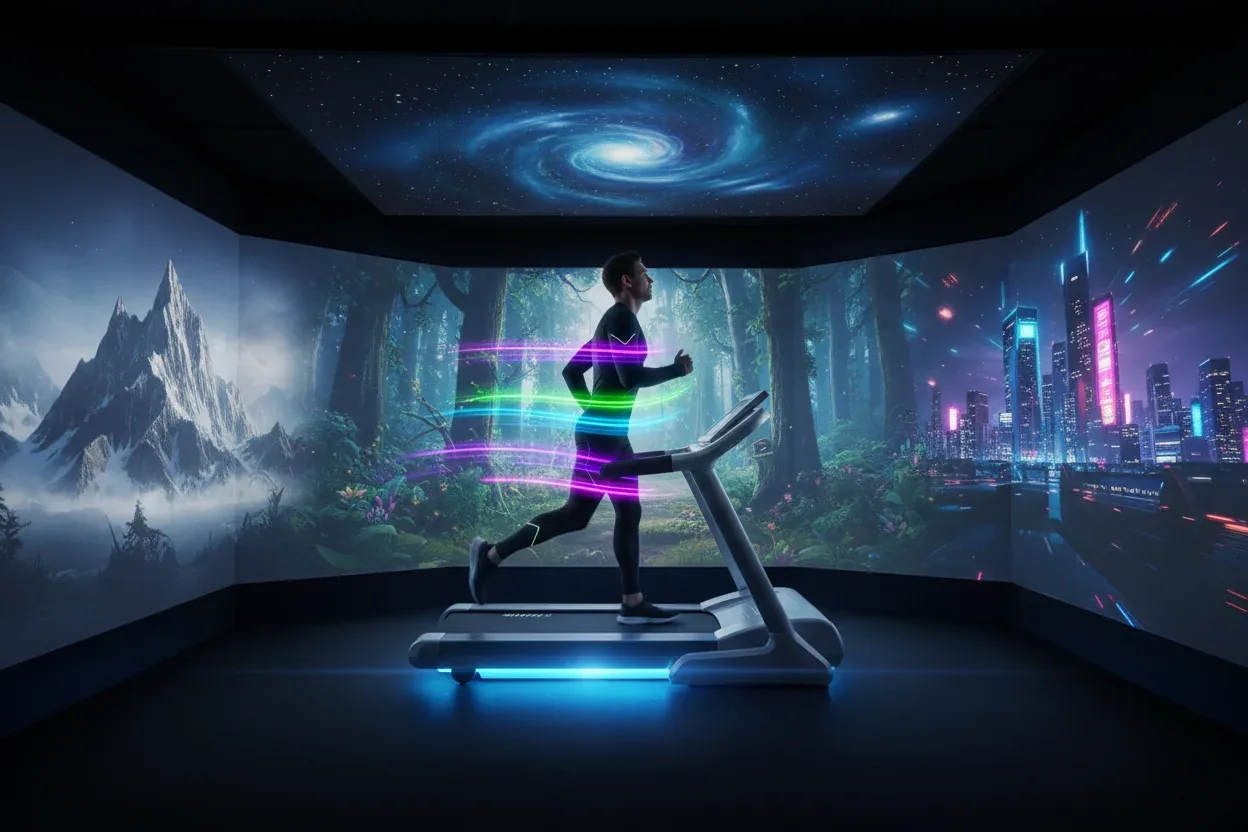
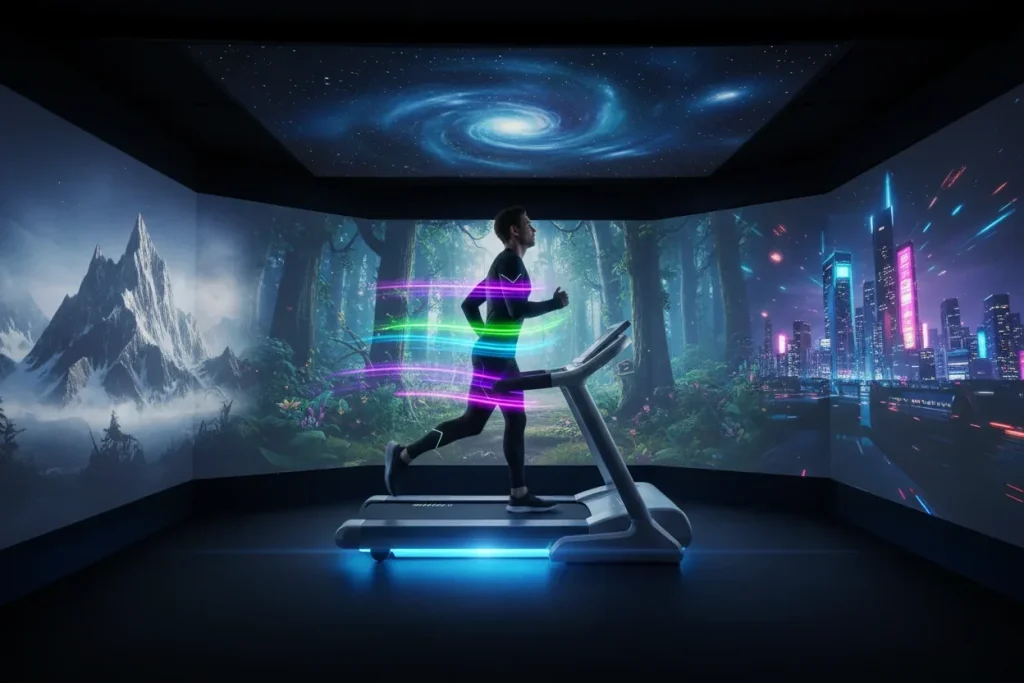
An Immersive Running Simulator pairs a treadmill with a front-facing route display for indoor walking or running. It suits fitness venues, hospitality and events, with model, connection, space and supervision agreed for the venue; speed-responsive scenery requires an approved compatible integration.

Pricing depends on configuration and project scope

Request a quote
Treadmill model
Selected for the project
Synchronization functions
Based on approved connection
Movement area
Measured on site
View all specifications

Product details

Specifications

Specifications confirmed with the configuration

Treadmill, display and route form the station. Model and platform determine integration functions; space and services require a survey.

Specifications
SpecificationHow it’s determinedConfirmation
Treadmill modelSelected for the projectApprove for configuration and site
Synchronization functionsBased on approved connectionApprove for configuration and site
Movement areaMeasured on siteApprove for configuration and site
Screen and displayTested for the siteApprove for configuration and site
Power and networkConfirmed before installationApprove for configuration and site
Ventilation and soundPart of site readinessApprove for configuration and site
Specification approval boundaries

There is no universal speed, incline, load or clearance; verify values in the exact model manual and integration documents.

  • Treadmill model — Document the exact model, manual, duty and manufacturer speed, incline, load and stopping limits.
  • Synchronization functions — Name the speed source, data direction, software mode and signal-loss behaviour; verify any equipment control separately.
  • Movement area — Map equipment, display, manual clearances, access, operator, maintenance and waiting space.
  • Screen and display — Test size, mounting, sightline, reflections and instructions at the user position.
  • Power and network — Match supplies, cabling, connectivity and accounts to component manuals and operating mode.
  • Ventilation and sound — Review ventilation, noise and equipment operating conditions at the venue using the manuals.

Description

What is an Immersive Running Simulator?

An Immersive Running Simulator pairs a treadmill with a front-facing screen showing a route during an indoor walk or run. It suits fitness venues, hospitality facilities and events seeking a movement session with a visual route. A compatible integration can read speed data to change scene progress; the equipment and platform determine the available functions.

The participant selects a route, reviews start and finish instructions, and uses the treadmill under the venue’s approved settings. This configuration uses a screen; any additional viewing accessory needs to be specified in the proposal. Review the six specification fields before selecting a station.

Do you need synchronisation or route playback?

For a conventional indoor session using the treadmill’s own metrics, compare a treadmill suited to the intended use. Independent route video may suffice when scenery is the goal. Updating route progress with movement needs a data source, compatible connection and an acceptance trial.

Integration modes and checks
ModeData direction and functionAcceptance check
Independent playbackPlayer to screen; independent progressStart, stop and next-session reset
Speed-responsive routeApproved speed source to software and displayRoute response at start, pace change, stop and signal loss
Separately approved controlCompatible platform commands to equipment by model and modeWritten function support and authorised manufacturer-procedure test

Zwift’s running documentation describes compatible speed sources. Wahoo’s Zwift integration guidance sets out functions and conditions that vary by operating mode. Receiving speed data does not establish belt or incline control. These are comparison references, not a commitment to include either platform in a Marafei proposal.

Plan the whole station

The station plan includes the treadmill, display, model-specific clearance, mounting and dismounting space, and operator and maintenance access. Keep waiting outside that space. Send venue photos, dimensions and the equipment delivery route, including doors and any lift, before confirming supply.
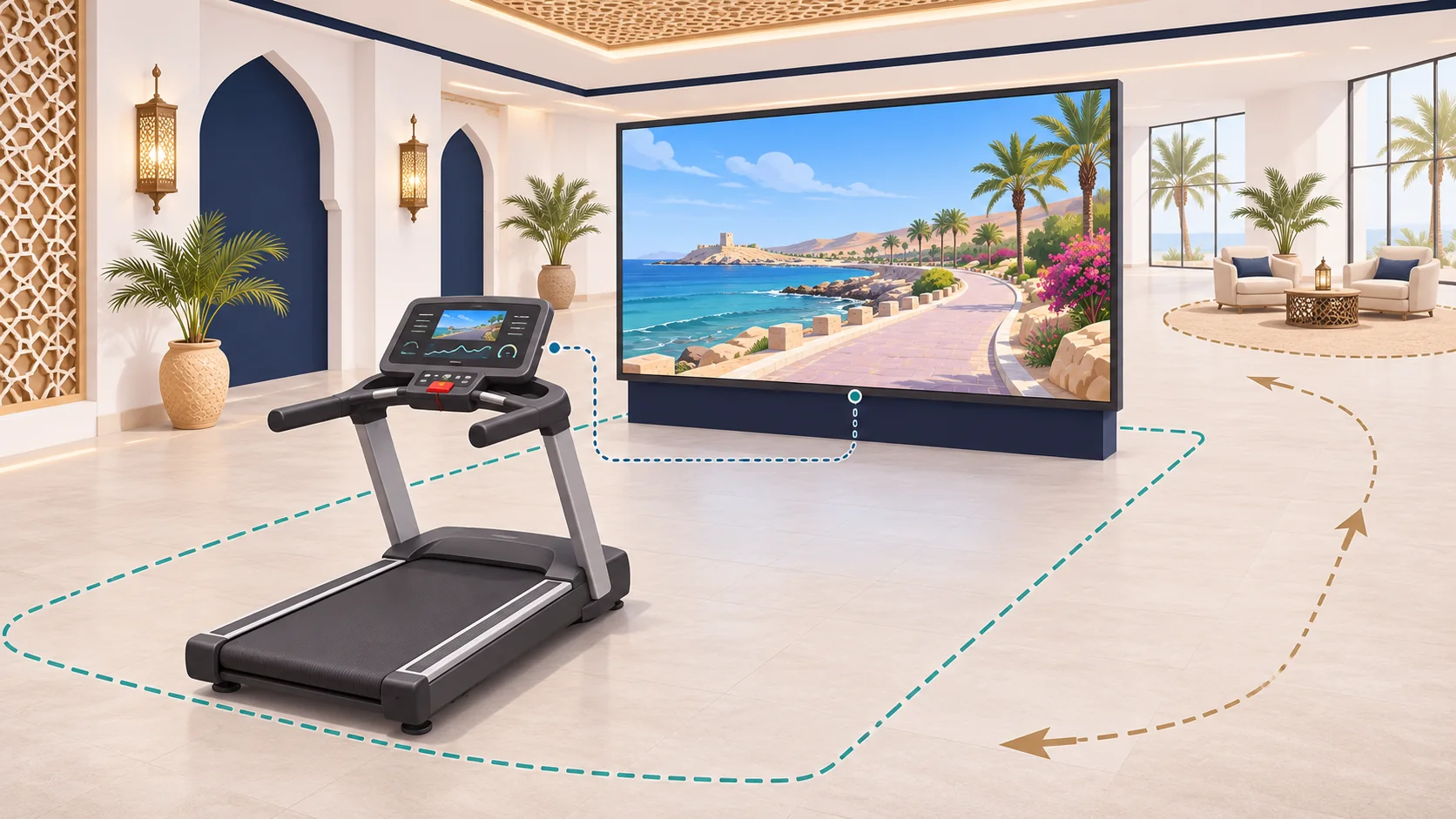
Concept of a treadmill facing a route display with operating space and a separate waiting area
Unscaled concept showing equipment, display and waiting positions. Operating clearances and integration functions require approval for the selected model.

The venue lead reviews floor level and suitability, power, ventilation and cable routes. Check glare, instruction legibility and sound at the user position and neighbouring spaces. For several stations, plan access and supervision for each unit.

Specifications to confirm before ordering

The station includes a treadmill, display and route content. Model, integration, dimensions and functions are configuration choices. Space, mounting and services need a survey. Belt speed, incline, load limits, electrical requirements and clearances come from the exact equipment manual; synchronisation is verified on the assembled setup.

Six fields and their acceptance basis
FieldProposal requirementVerification
Treadmill modelExact model, duty, manual and operating limitsSupplier and technician match equipment to documents
SynchronisationSource, direction, software mode and limitsIntegration team tests start, stop and signal loss
Movement areaPlan, clearance, access and waitingVenue checks manual and actual access route
Screen and displaySize, mounting and viewing positionAV team checks route and instruction legibility
Power and networkComponent needs, accounts and connectionVenue and IT verify supplies and operating mode
Ventilation and soundEquipment requirements and conditionsVenue reviews manual and trial noise

Session and content choices

Approve a short route sample on the proposed screen and treadmill. Review session start and end, language and visible progress before agreeing the required routes. Coastal, mountain or urban scenes can be considered within platform capabilities and content rights. Review visual pace, sound and a calmer presentation where needed.

Specify filming and reuse permissions, fonts, footage, file handover and route-update access. Review Arabic and English in the actual instructions. A separate viewing option outside the operating zone can serve visitors who prefer to watch; the venue sets participation and supervision policy using the model manual.

Gym, hotel and event operation

For a gym, review repeated operation, staff handover and route changes. In a hotel or resort, trial instructions with a first-time user and check noise near adjoining spaces. At an event, plan a supervised session and a waiting point outside the equipment clearance. Measure the full cycle of briefing, mounting, activity, dismounting and reset, not only route duration.

The Smithsonian accessibility guidelines support reviewing instructions, access and viewing options. Eligibility depends on equipment and venue policy; no universal fitness suitability, therapeutic result or endurance improvement is claimed.

Rental or permanent installation?

For rental, start with dates, units, hire days, operating hours and delivery and removal access. When buying an Immersive Running Simulator, include ownership, licences, training, maintenance and content access in the decision. The proposal confirms availability and supply options for the venue.

Compare hire and permanent scope
ItemTemporary rentalPermanent installation
EquipmentUnits, screen and connection for the hireModel, components and ownership
ContentRoutes and event brandingLicences, files and updates
WorksTransport, access, setup, calibration and removalMounting, services and maintenance access
OperationStaffed hours and venue handoverTraining, manual and responsible operator
SupportEvent intervention and recoveryMaintenance, warranty and recurring costs

Confirm these items in the quote. Transport, staffing, custom route production and a fixed warranty period are not assumed inclusions. Identify venue-supplied, supplier-provided and separately priced items.

Price, running costs and lead time

The quoted price depends on treadmill, screen, unit count, connection, content and site work. After installation, running costs may include licences, maintenance, staff time and route updates under the contract. Separate initial setup costs from recurring charges and their schedule.

Compare quotes using the same model, functions, content, operating hours and acceptance conditions. Scheduling follows the survey, equipment confirmation, route permissions, delivery access and rehearsal. Price, availability, delivery and warranty belong in the specific proposal.

Commissioning synchronisation and stopping

The technician records the speed source and software mode, then observes the scene during an approved session at start, pace changes and stop. Agree in advance what appears on data loss and how the station resets. Record expected and observed behaviour, corrective responsibility and retesting.

The authorised team checks treadmill stopping provisions using the exact manual and venue procedure, independently of the route interface. A CPSC staff letter on treadmills discusses moving-part hazards; it is not approval or installation guidance for the proposed equipment. The model manual governs clearances and procedures, and the venue approves supervision and reopening.

Daily checks, connection and data

Before opening, the operator follows the approved equipment, display and connection checklist and knows when to pause admissions and call support. Agree procedures for display or data failure and staff handover. Operators should stay within their authorised tasks and manufacturer instructions.

Identify local functions and those requiring streaming, an account or licence verification. If offline use is required, test route startup and recovery after restart. Review displayed, stored and shared session data, its purpose, access and end-of-session clearing before approving accounts or analytics.

External running-experience examples

The US Olympic & Paralympic Museum documents a running simulator in its Speed station within Athlete Training. A proposed Saudi sports exhibition could use a short staffed station with a separate viewing option. Test instruction comprehension and the full visitor cycle. The source does not establish a Marafei equipment model or specification.

At the Franklin Institute’s SportsZone, a projected virtual competitor runs alongside a participant on a physical course. That arrangement differs from a stationary treadmill. A Saudi club or resort could trial a noncompetitive progress cue, checking legibility through an approved pace change and reset after stopping. These are the named institutions’ exhibits; local applications are proposals without assumed results.

Prepare the enquiry

Send venue type, city, dates, duration, operating hours, audience and unit count, with a plan, photos and delivery route. Describe power, network, screen provision, required synchronisation, routes, languages, customisation and supervision. Request named components, functions and limits, inclusions, exclusions, delivery, acceptance and support.

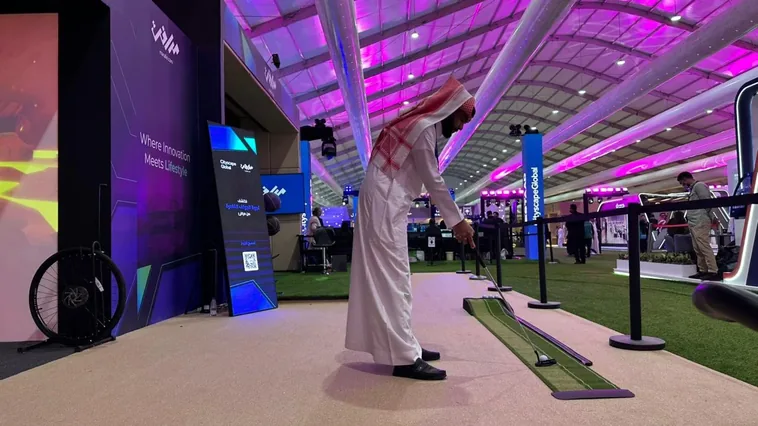
Compare other movement stations through the Immersive Cycling Simulator and Immersive Rowing Simulator. For a hospitality venue planning several sports activities, see the Golf Simulator.

Request a running simulator quote for your venue

Installation & operation

Movement, content, and display as one system

Components are approved after use and site review.

Specified treadmill

The activity platform selected for audience and operating hours.

Motion input or synchronization

Passes data supported by the equipment into the experience.

Control system

Manages content, session settings, and component connections.

Routes and environments

Licensed or custom visual content that gives movement a context.

Front-facing display

Shows the route at a suitable viewing position and angle.

Audio and surrounding setup

Optional elements reviewed for comfort, communication, and safety.

From environment selection to session completion

Control and synchronization functions vary by model and software.

Choose the environment

The operator or user selects an available route and level.

Prepare the treadmill

Set up the equipment according to its instructions and venue policy.

Start moving

The user begins walking or running in the defined area.

Synchronize the scene

The environment responds according to the data and functions supported by the setup.

Complete the session

End the session using the approved equipment procedure, then check route state and prepare the station for the next participant.

What should be reviewed before installation?

Details follow the selected equipment and content.

Dimensions and safety clearance

Equipment, mounting and dismounting, and a free zone around the user.

Floor and load

A level, stable surface suited to the equipment and fixing method.

Power and network

Outlets, capacity, and connectivity for final components.

Lighting and display

Reflection control, screen position, and visibility from the user point.

Ventilation and sound

Comfort during activity and noise treatment within the venue.

Operation and supervision

Operator access, clear instructions, pre-use checks, and an evacuation route.

A permanent solution or temporary experience

There is no single package for every site.

Venue implementation

Agree equipment, ownership, licences, content, mounting, update access and training and support scope.

Project or event rental

Confirm availability for the dates and transport, setup, calibration, operation and removal scope, including venue-supplied items.

Multi-unit configuration

Review additional scenes or languages, file rights, cost and retesting before updating.

From concept to operation

The approved proposal establishes the actual contractual schedule.

Understand the need

Define session, audience, units, routes, integration and supervision.

Survey and design

Review model manual, clearances, delivery access, display and services; approve the site plan.

Install and calibrate

Install approved components, document integration and have authorised staff test the route and stopping using manufacturer procedures.

Train and hand over

Hand over checking, supervision, recovery, session clearing and support responsibilities; document results and retests.

Safety, accessibility, and privacy

These requirements should be adopted in design and operation and do not claim certification for an unspecified model.

Operational safety

Visible instructions, pre-use checks, clear movement space, and an accessible stop.

  • Visible instructions, pre-use checks, clear movement space, and an accessible stop.
Supervision

A use policy, appropriate progression, and an operator who understands equipment procedures.

  • A use policy, appropriate progression, and an operator who understands equipment procedures.
Access and experience

A clear interface, options not based on color alone, and a suitable viewing route.

  • A clear interface, options not based on color alone, and a suitable viewing route.
Motion sensitivity

Offer stop options and explain moving-content characteristics before the session.

  • Offer stop options and explain moving-content characteristics before the session.
Data privacy

Minimize collection and define purpose, permissions, and retention before accounts or analytics.

  • Minimize collection and define purpose, permissions, and retention before accounts or analytics.

Frequently asked questions

Direct answers support initial fit assessment; the technical proposal confirms details.

Does the immersive running simulator synchronise with treadmill speed?

A compatible setup can use a speed signal to update route progress. Ask which component supplies that signal and which software mode uses it. Have the integration team demonstrate what the display does when the treadmill starts, changes speed and stops.

How does a treadmill with a virtual route differ from playing a running video?

A prerecorded video runs at its own playback rate. A speed-responsive route changes its progression when the supported integration receives a new speed reading. For a venue trial, ask the operator to show which mode is supplied and how the display responds during an approved session.

Can the immersive running simulator control treadmill speed or incline?

A display can receive speed data without controlling the treadmill. Ask the supplier to confirm any control separately for the exact model, connection and software mode. The authorised team checks the treadmill's own stopping procedure independently of the visual route.

Does this immersive running simulator require a VR headset?

The documented configuration shows the route on a screen in front of the treadmill. Ask the supplier to specify the screen, mounting and any accessories included in the proposal. Check visibility at the planned user position.

Can the immersive running simulator be used for walking sessions?

Confirm the permitted operating modes and settings from the selected treadmill and venue policy. Ask the operator to show the start and end of a walking session with the chosen content before opening it to visitors.

How does a venue decide who can use the immersive running simulator?

Use the treadmill manual and the venue's participation policy to define eligible users, approved sessions and supervision. Train the operator on the selected controls and make the participation instructions visible before visitors enter.

How much space does an immersive running simulator need?

Prepare a dimensioned plan with the treadmill and screen footprints, model-specific clearances, mounting and dismounting space, and service access. Mark where staff and waiting guests stand. Confirm delivery access and clearance with the venue before ordering.

How should the screen be positioned for an immersive running simulator?

Review the display position with the equipment layout. Check route legibility, lighting and reflections at the intended viewing position, and ensure the screen and its fixings are clear of access and service routes. Confirm the chosen mounting in the proposal.

Can the immersive running simulator use custom routes and branding?

Review what the selected platform supports, such as licensed routes, a branded welcome screen or Arabic and English prompts. Approve a sample with the same equipment and check route rights, file handover and who can update the content later.

What should an immersive running simulator rental include?

Ask for an itemised proposal covering units, rental days, transport, setup, calibration, content, operating hours, staffing and removal. Confirm the site supplies and handover dates. Check availability for the intended venue and dates.

What should I check before buying an immersive running simulator?

Request the exact treadmill and display, the connection and software mode, licences, access to the content files, training and support. Check ownership and warranty terms against the proposed installation and acceptance criteria.

What affects the cost of operating an immersive running simulator?

Ask which costs continue after installation. They may include software or content licences, maintenance, staff time and replacement or production of routes. Confirm the recurring items and responsibilities for the proposed system.

Why can the price of an immersive running simulator vary between quotes?

Compare the unit count, treadmill, screen, connection, content and included site work. A quote can also include transport, training and staffed operating hours. Align the quantities, services and acceptance conditions before comparing prices.

What information does a supplier need to quote for an immersive running simulator?

Send the venue type, city, dates, operating hours, photos and dimensions, expected audience and unit count. Add delivery access, power and network, the intended route and languages, the requested synchronisation and who will supervise the sessions.

Can the immersive running simulator operate offline?

This depends on whether the proposed platform stores routes locally and whether it needs an account, licence check or streamed content. If offline use is required, include route start, playback and recovery after a restart in the acceptance test.

What happens if the immersive running simulator loses its speed signal?

The visual behaviour depends on the approved integration. Define what the screen shows and how the operator handles the session using the treadmill procedure. An authorised technician should demonstrate the agreed response and the reset during commissioning.

How should the immersive running simulator's stop function be checked?

Have the authorised team verify the selected treadmill's stop provisions using the manufacturer and venue procedure. Confirm that staff can reach or explain the appropriate control. Record the result and what staff must check before admitting the next participant.

How is route synchronisation tested when accepting an immersive running simulator?

Ask the technician to record the selected software mode and the source of speed data. During a supervised, approved check, record what the route does at start, during speed changes and at stop. Compare the observed results with the agreed behaviour and log any retest.

Does the immersive running simulator store session data?

Data depends on the treadmill, software and account configuration. Ask which data is displayed, stored or shared, who can access it and what clears at the end of a session. Have the responsible team approve any accounts or analytics before use.

How can an event team manage queues for an immersive running simulator?

Allow time for instructions, mounting and dismounting, the route and reset. Set a waiting point outside the equipment clearance and rehearse with the operator and the next visitor. Use the observed cycle to plan unit count and staffing.

What power, ventilation and sound checks does an immersive running simulator need?

Check the electrical requirements of the selected treadmill, display and integration equipment against site capacity. Review cable routes, ventilation requirements and actual noise at the user and neighbouring positions during the site trial.

Can a venue run several immersive running simulator stations together?

Plan each unit's space, power, visibility and supervision. Confirm whether screens, software licences and connections are shared or independent. If simultaneous operation is in the proposal, test all stations together with representative visitor flow.

Does the Immersive Running Simulator have a fixed warranty or delivery time?

Request warranty duration, coverage, exclusions and delivery dates for the specified configuration; a universal warranty or immediate availability is not assumed.

Can Immersive Running Simulator routes be updated after handover?

Review update access, licences, source files and platform capabilities. Agree cost and testing before releasing a new route.

How should the Immersive Running Simulator be cleaned?

The responsible person follows approved treadmill and display care and shutdown instructions. Include cleaning and inspection in the operating plan without using unapproved products.

Can the Immersive Running Simulator be relocated without review?

Review transport, mounting, clearances and services against the model manual; recheck display, integration and stopping with the approved procedure before admitting visitors.

Sources and references

  1. Running setup and speed sources

    Zwift

    Accessed:

    Design or external-example reference; not proof of a Marafei model or proposal inclusions.

  2. KICKR RUN with Zwift: mode-specific functions

    Wahoo Fitness

    Accessed:

    Design or external-example reference; not proof of a Marafei model or proposal inclusions.

  3. Athlete Training

    US Olympic & Paralympic Museum

    Accessed:

    Design or external-example reference; not proof of a Marafei model or proposal inclusions.

  4. SportsZone

    The Franklin Institute

    Accessed:

    Design or external-example reference; not proof of a Marafei model or proposal inclusions.

  5. Staff letter to treadmill task group

    CPSC

    Accessed:

    Design or external-example reference; not proof of a Marafei model or proposal inclusions.

  6. Accessible Exhibition Design

    Smithsonian

    Accessed:

    Design or external-example reference; not proof of a Marafei model or proposal inclusions.

Publisher

Marafei

Publisher: Marafei

This product content was prepared, written and reviewed by Marafei’s team of specialists, consultants and technical engineers.

Marafei team

Don’t hesitate to
contact us.

You can book a demo with us by filling out this information, and we will get in touch with you as soon as possible

Business Hours

Sunday–Thursday
8:00 AM–6:00 PM